Hello all,
I added javaFaker jar to the library, and create a Faker object as expected, but when I tried to run a basic test, it’s terminated. What can be wrong?
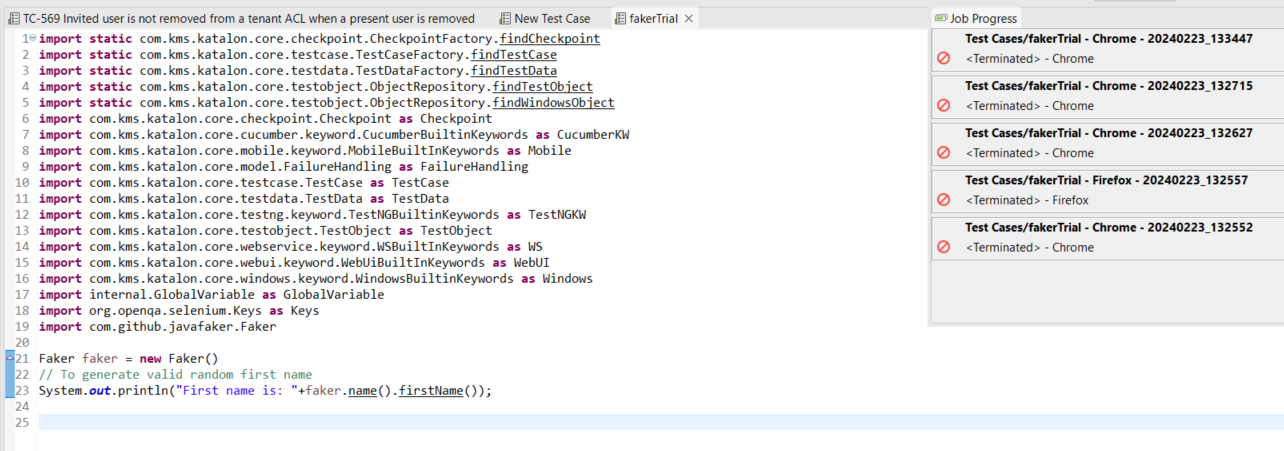
On Katalon Studio main menu, click on Help > ‘Error Log’ and put your last run of the error log here so we can see what went wrong too.
I tried on Katalon Studio v9.0.0.
I put the javafaker-1.0.2.jar into the Drivers folder in an existing project’s folder.
I started Katalon Studio, opened the project, created a Test Case:
import com.github.javafaker.Faker

Faker faker = new Faker();
println "First name is: " + faker.name().firstName();
But it failed just the same as the original poster @dr_zerre saw.
The message said that the compiler could not resolve the class com.github.javafaker.Faker.
It was obvious that the jar I added in the Drivers folder is NOT included in the runtime classpath.
I could reproduce the problem of @dr_zerre on my machine.
But I don’t know why.

I reinstalled the Katalon Studio v9.0.0 and tried the same. It worked.
I don’t know why the problem has disappeared.
I guess that there might be a subtle bug in Katalon Studio. I guess, at some condition, Katalon Studio fails to update the existing .classpath file.
I would leave this problem to the Katalon developers.
Try deleting the .classpath file in your Katlaon project’s root folder.

Close and reopen the project.
Then certainly the .classpath file will be generated. Your problem will disappear.
Thank you Kazurayam,  it’s working now!