Hello;
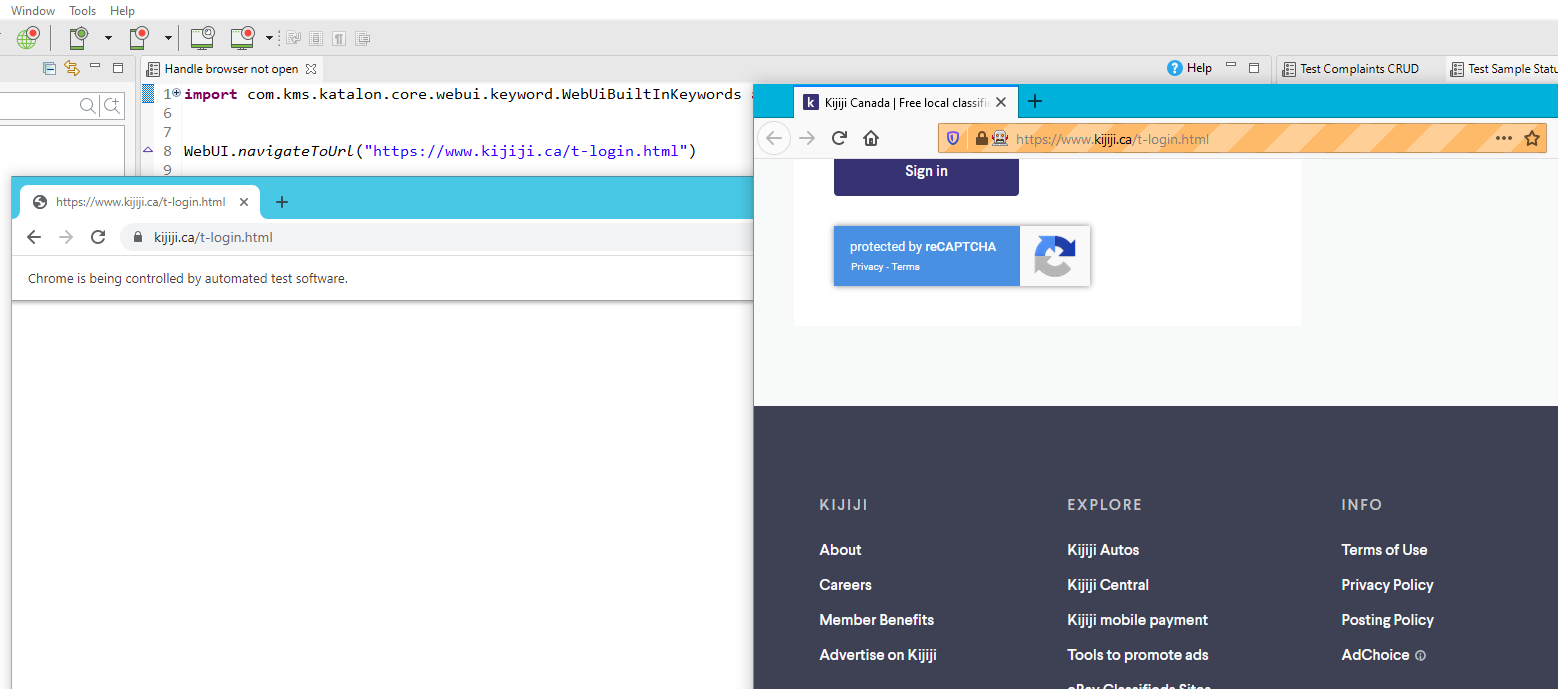
When I use “recorder web” page will not load. I have been trying Chrome, Firefox, and IE.
current version Katalon 7.7.1 and i have updated the webdriver.
There are no errors that show up and yes i have waited for long time to see if the page will load without any luck. i have tried two different computers.
or also adding : waitforelementvisible(loginButton) . So it means that if the login button appears, the page was loaded ok. Play arround with those methods before interacting with any elements of that page.
The page is not loading at all. I am new to this; maybe this may help in solving the issue.
2020-10-13 11:45:25.054 INFO c.k.katalon.core.main.TestCaseExecutor - --------------------
2020-10-13 11:45:25.054 INFO c.k.katalon.core.main.TestCaseExecutor - START Test Cases/upload image
2020-10-13 11:45:25.474 INFO c.k.katalon.core.main.TestCaseExecutor - (Default) file = D:\graphics\logo.jpg
2020-10-13 11:45:25.930 DEBUG testcase.upload image - 1: openBrowser("")
2020-10-13 11:45:26.334 INFO c.k.k.core.webui.driver.DriverFactory - Starting ‘Chrome’ driver
Oct 13, 2020 11:45:26 AM org.openqa.selenium.remote.DesiredCapabilities chrome
INFO: Using new ChromeOptions() is preferred to DesiredCapabilities.chrome()
2020-10-13 11:45:26.398 INFO c.k.k.core.webui.driver.DriverFactory - Action delay is set to 0 milliseconds
Starting ChromeDriver 85.0.4183.87 (cd6713ebf92fa1cacc0f1a598df280093af0c5d7-refs/branch-heads/4183@{#1689}) on port 9801
Only local connections are allowed.
Please see https://chromedriver.chromium.org/security-considerations for suggestions on keeping ChromeDriver safe.
ChromeDriver was started successfully.
[1602611128.961][WARNING]: This version of ChromeDriver has not been tested with Chrome version 86.
Oct 13, 2020 11:45:29 AM org.openqa.selenium.remote.ProtocolHandshake createSession
INFO: Detected dialect: W3C
2020-10-13 11:45:29.210 INFO c.k.k.core.webui.driver.DriverFactory - sessionId = aaa7426ea0b9133a60c7c7f51a7d567e
2020-10-13 11:45:29.233 INFO c.k.k.core.webui.driver.DriverFactory - browser = Chrome 86.0.4240.75
2020-10-13 11:45:29.233 INFO c.k.k.core.webui.driver.DriverFactory - platform = Windows 10
2020-10-13 11:45:29.234 INFO c.k.k.core.webui.driver.DriverFactory - seleniumVersion = 3.141.59
Our team was able to reproduce the exact same issue. This happen after chrome driver 85 updates with Katalon Version 7.7.2, everything works fine in firefox except in chrome.
mhm … i tried to load the original url (https://www.kijiji.ca/t-login.html) in chrome browser manually, and it was showing an empty page.
after hitting refresh it was loaded. tried few more times in incognito windows and was loading fine every-time.
so, at this point, i am am suspecting a DNS caching issue.
from ping/nslookup response, looks like the ip of the page is resolved via googleusercontent.com with an ip which seems to belong to a certain google cloud service.
12 248.91.98.34.bc.googleusercontent.com (34.98.91.248) 28.457 ms 28.704 ms 28.472 ms
Could be that is a cached page? the above domain is usually used to cache pages and serve static CDN content.
that may explain the flakiness … somehow. i wouldn’t say at this point is a chrome issue but more like a dns issue (could happen in other browser anytime once the dns cache expires)
so, as a solution in case the page does not load, maybe refreshing will work (although not sure how to do this from katalon/selenium, not my expertise domain)
pinging (or a curl/ web request) to the domain, before to actually load the url may help also (it should refresh the dns resolver cache)