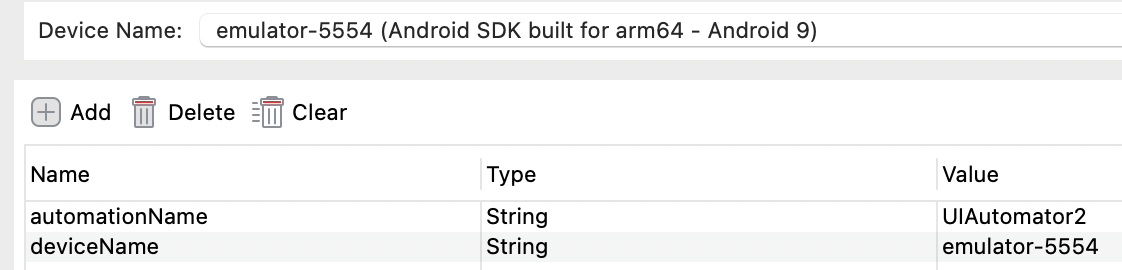
When I am trying to start mobile recorder or spy
I faced this error
Unable to create a new remote session. Please check the server log for more details. Original error: An unknown server-side error occurred while processing the command. Original error: Could not find a driver for automationName ‘uiautomator2’ and platformName ‘android’.
when run this
‘appium driver list --installed’
I found below
√ Listing installed drivers
uiautomator2@2.45.0 [installed (npm)]
(Lower-level error: Could not find installed driver to support given caps)
at getResponseForW3CError (C:\Users\alaa.abdelghafar\AppData\Roaming\npm\node_modules\appium\node_modules@appium\base-driver\lib\protocol\errors.js:1118:9)
at asyncHandler (C:\Users\alaa.abdelghafar\AppData\Roaming\npm\node_modules\appium\node_modules@appium\base-driver\lib\protocol\protocol.js:491:57)
Build info: version: ‘3.141.59’, revision: ‘e82be7d358’, time: ‘2018-11-14T08:25:53’
System info: host: ‘ ’, ip: ‘ ’, os.name: ‘Windows 11’, os.arch: ‘amd64’, os.version: ‘10.0’, java.version: ‘17.0.7’
Driver info: driver.version: SwipeableAndroidDriver
You have as your heading Katalon Recorder, but then you mention “spy”. What you are using is the Web Recorder of Katalon Studio. Katalon Recorder is another application completely. Is it possible that you can change it? More people may investigate your issue with the correct heading.