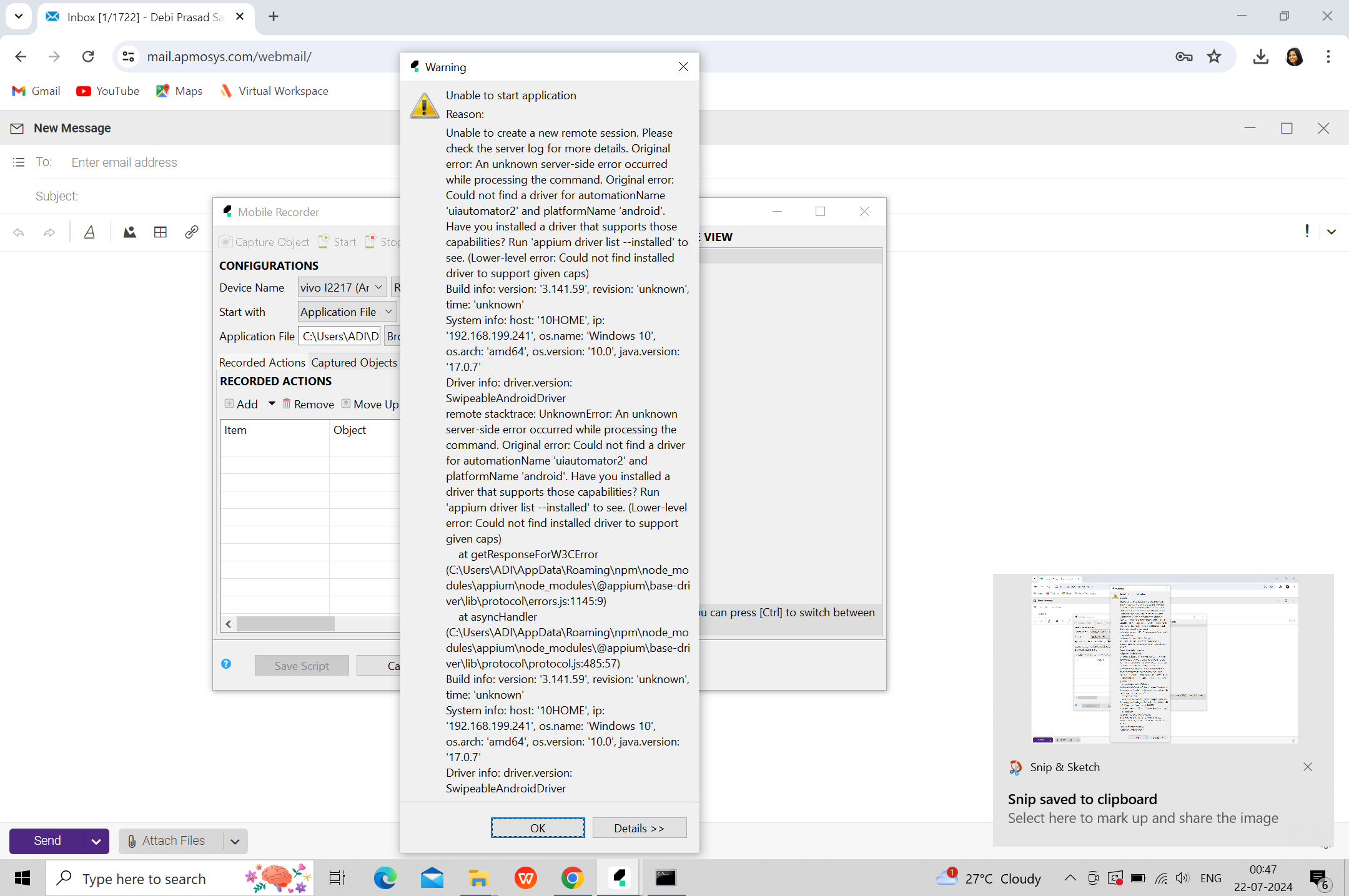
Kindly help in priority basis.As my team has trailed several ways,still they are facing problem while setting up android in windows.It is showing in original error-'couldnot find a driver for automation name uiautomator2 and platform name android.But as I have checked uiautomator2 driver has installed along with Platform name Android.
Please find attached screeshot for reference and kindly help.Thanks in advance
Based on your screenshots and error message, I’ve identified the root cause of your issue:
Problem Summary
Error: “Could not find a driver for automationName ‘uiautomator2’ and platformName ‘android’”
Root Cause: The UIAutomator2 driver installation is incomplete or corrupted due to an NPM registry timeout during installation. Your command line shows:
npm error EIDELIIMEOUT - Idle timeout reached for host `registry.npmjs.org:443`
This means the NPM package installation was interrupted before completion, even though it appears to show “successfully installed.”
IMMEDIATE SOLUTIONS (Priority Order)
Solution 1: Complete Appium Reinstallation (RECOMMENDED - Do This First)
The timeout error suggests your NPM registry connection is slow. Try:
npm config set registry https://registry.npmjs.org/
npm config set fetch-timeout 120000
npm config set fetch-retry-mintimeout 20000
npm config set fetch-retry-maxtimeout 120000
Setting up Android for automation can be a total pain with all the different dependencies, so having a clear walkthrough for the environment variables and SDK settings is a lifesaver.

 PRIORITY ISSUE ANALYSIS
 IMMEDIATE SOLUTIONS (Priority Order)
 Verification Checklist
 If Still Failing