ugh this Reload Plugins, using latest Katalon Studio version 6.1.5


after Katalon Studio boot no success
how to really get plugins to use?
I raised a similar issue but that was fixed few days ago.
!ENTRY org.eclipse.e4.ui.workbench 1 0 2019-05-15 21:46:56.342
!MESSAGE Katalon version: 6.1.5

!ENTRY org.eclipse.e4.ui.workbench 1 0 2019-05-15 21:46:56.346
!MESSAGE Plugin info URL: https://store.katalon.com/api/products/ks?appVersion=6.1.5

!ENTRY org.eclipse.e4.ui.workbench 1 0 2019-05-15 21:46:56.375
!MESSAGE Plugin info: {
  "expired": false,
  "productId": 20,
  "name": "JSON Path Finder",
  "id": 6104
}

!ENTRY org.eclipse.e4.ui.workbench 1 0 2019-05-15 21:46:56.376
!MESSAGE Plugin info: {
  "expired": false,
  "productId": 39,
  "name": "Read and Write Gmail Messages Keywords",
  "id": 6095
}

!ENTRY org.eclipse.e4.ui.workbench 1 0 2019-05-15 21:46:56.378
!MESSAGE Plugin info: {
  "expired": false,
  "productId": 26,
  "name": "HTML Table Keywords",
  "id": 1317
}

!ENTRY org.eclipse.e4.ui.workbench 1 0 2019-05-15 21:46:56.425
!MESSAGE Plugin ID: 6104. Plugin location: C:\KatalonStudio\Katalon6.1.5\configuration\plugin\install\6104\1.0.0\katalon-json-plugin-1.0.0.jar.

!ENTRY org.eclipse.e4.ui.workbench 1 0 2019-05-15 21:46:56.718
!MESSAGE Plugin ID: 6095. Plugin location: C:\KatalonStudio\Katalon6.1.5\configuration\plugin\install\6095\1.2.0\Katalon Gmail.jar.

!ENTRY org.eclipse.e4.ui.workbench 1 0 2019-05-15 21:46:56.723
!MESSAGE Plugin ID: 1317. Plugin location: C:\KatalonStudio\Katalon6.1.5\configuration\plugin\install\1317\1.0.1\katalon-studio-htmltable-custom-keywords-plugin.jar.

!ENTRY org.eclipse.e4.ui.workbench 1 0 2019-05-15 21:47:17.608
!MESSAGE Reloaded plugins successfully.i guess not fixed cause it’s persists
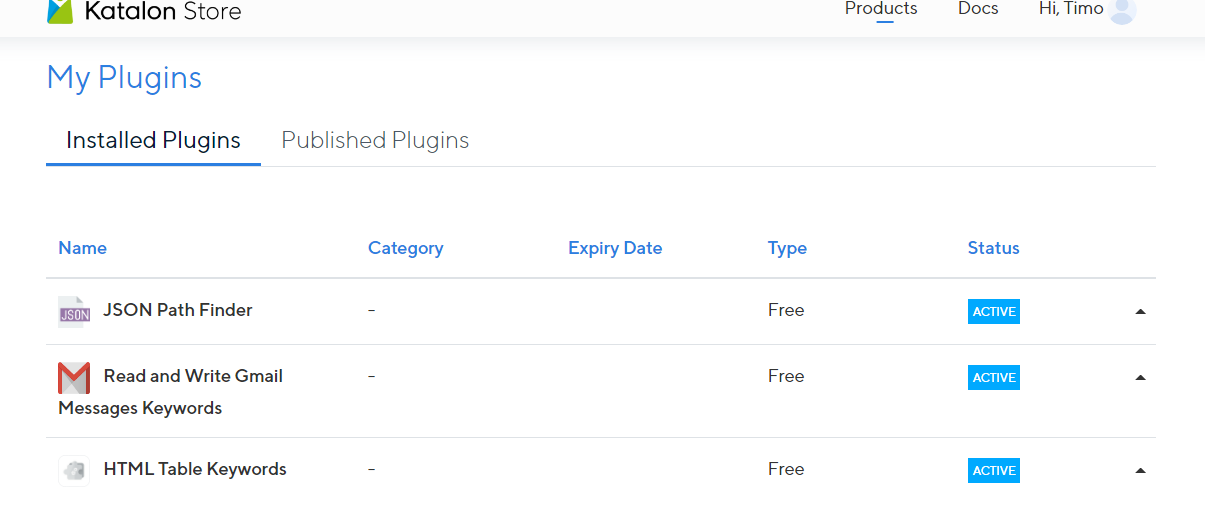
Katalon Store - Explore Plugins for Katalon Studio?
They did mentioned that the issue is fixed and I am not encountering this issue now.
