Run a test suite including test case(include openbrowser keyword) using Chrome browser. No error occurs.
But when put this suite into a suite collection, then will report the error: Unable to open browser with url: ‘’
I have tried add an arguments in Project settings → Disired Capabilities → WebUI → Chrome
Name: args, Type: List, Value: [-no-sandbox, -disable-infobars]
@qsw Please provide more information for investigate (screenshoot, version of Katalon, error log (you can figure it from Help -> Error Log)
- Error Screen Shot
2.Katalon Version.
Version: 6.1.0
Build: 1
3.Error from Help->Error Log
error.txt (362.0 KB)

This issue may be by web driver, the latest version wok well for this. Can you try to use the latest version(on our website katalon.com) to see if the problem is resolved?

Hello Alice,
Could you please help check this problem? Thank you!

I found a problem, A project created by Katalon Studio 5.9.1
Test Suite Colletion created in this project has a column “Run with”

In new katalon studio version, created project and test suite collection.
no this column in test suite collection.
.
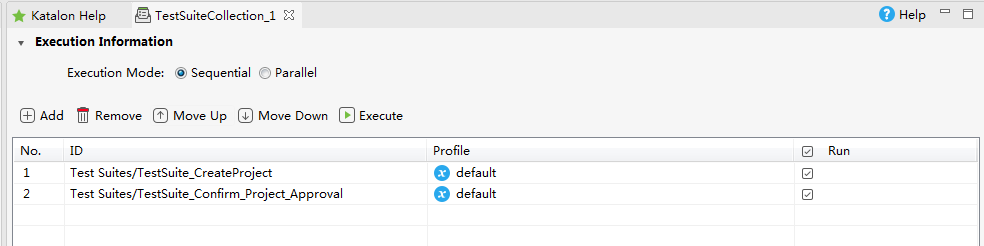
I guess this problem is relavant to test suite collection created by new version katalon studio.
What’s your opnion?