I made a GitHub repository of the project that you can reproduce the issue:
I used Katalon Studio v10.3.2 free on macOS 15.2.6
I opend the dialog Project > Settings
I navigated to Desired Capabilitites > Web UI > Chrome
I chose the Value of prefs.
Then a diaglog titled “Dictionary Property Builder” opend.
I chose the 1st row of “download.default_directory”, then the row’s background color turned to be blue.
I gave double click on the Value field of the row; I intended to edit the value from ‘/Users/kazurakiurayama/tmp’ to /Users/kazurayam/tmp;
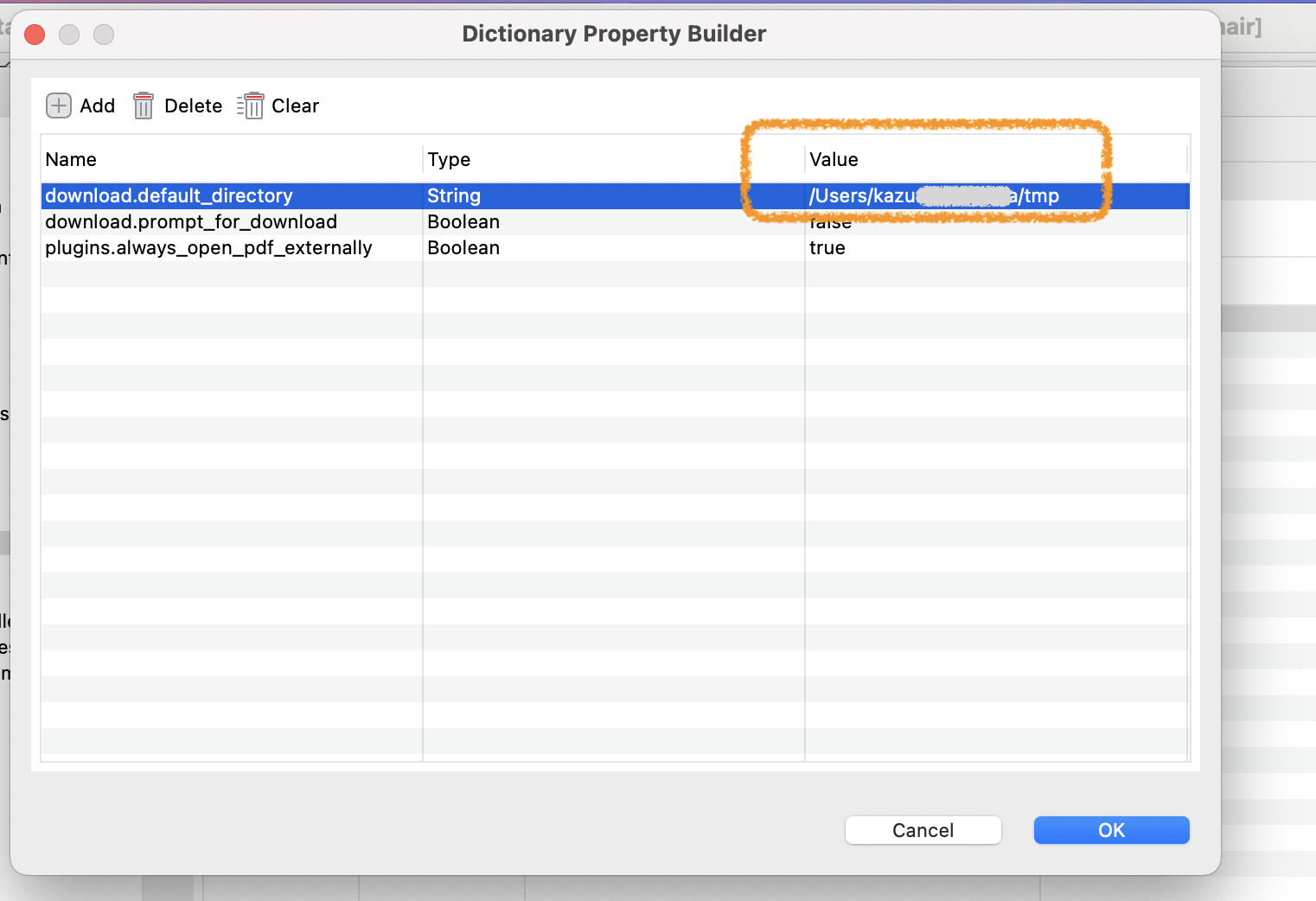
I did a double click over the Value string /Users/kazurayam/tmp; Katalon Studio did not respond to the click at all.
I did a double click again — still not responding.
I repeated double clicking a few times.
I felt that the poor Katalon Studio was working too slow; it could not catch up with my finger operations
Katalon Studio hanged in the end. A spinning wheel icon of macOS appeared and never stopped.

I couldn’t do anything on Katalon Studio. I wanted to edit the property value but I couldn’t. So, I terminated the Katalon Studio window by the OS level operation.
/Applications/Katalon Studio.app/Contents/MacOS/config/.metadata/.log is here:
This issue is easily reproducible. If you try the same procedure, you will see the spinning wheel.
I did this exercise on Mac only. I didn’t check this on Windows.
To @nghi.phan
Please pass this to the Katalon developers.
 . I’ll make sure to update you as soon as we have more clarity from the investigation.