I want to identify an element by using the Xpath options given in Katalon;

for an element that is present in a list as shown in attached snapshot2.
I would like you to do an experiment first before getting the xpath. Notice the “Selected Locator” that is written for this object. Now, close and reopen your application and use the HTML or the Web Spy and get the pathway for this drop-down again. Is it the EXACT same pathway; //select[@id='ui-id-4']
If it is, then I am wrong because I was thinking your pathways were dynamic; it would change every time you start your application. The 4 could become a 6 or 183 or anything.
If it is the EXACT same, then choose the “Attributes” radio button and then click on “Add” and set in the Name box with “tag”, leave the Match-condition as “equals” and enter the Value as “select”. Then click on “Add” again and from the drop-down, select “xpath” and use the value: id('ui-id-4')
If the second time you checked the pathway is not the same as the first, meaning you have dynamic pathways, then you have to do things a bit different. As above, choose “Attributes” and set the Name box with “tag” and Value as “select”.
Click on “Add” again and choose “id”. If your pathways are dynamic, change the “Match-condition” to “contains”, or “starts-with”, and put the Value as ‘ui-id-’. Since you already show there is a “ui-id-3”, it means you will need other attributes or near-by attributes to qualify the pathway to be unique. You can’t just leave the object with the <id> attribute without the numerical dynamic reference as it is not enough to be unique.
You could also use drop down as xpath and use one of the following values: //select[contains(@id, 'ui-id-')] or //select[starts-with(@id, 'ui-id-')].
Edit: What confuses me here is the <a> tag you have in all your xpath neighbours and yet your “Selected Locator” is a <select>. Hmmm.
Edit2: if you want to use any of the listed pathways for drop down as xpath, use CTRL + c (copy) and CTRL + v (paste).
I tried to Add Xpath under Attributes by giving:
Case1: //select[contains(@id, 'ui-id-3')] or //select[starts-with(@id, 'ui-id-4')] and also tried
Case 2: adding the idRelative Xpath ( image ) under Attributes.
In the Case 1: Getting invalid element state error whereas in
Case 2: Getting Caused by: org.openqa.selenium.support.ui.UnexpectedTagNameException: Element should have been “select” but was “a”
I guess I am doing it wrong. Please help.
To investigate, start DevTools to review your HTML; either hit the F12 key, click on “Open DevTools”, then use either CTRL + SHIFT + C or click on the first icon within DevTools that looks like a rectangle with a pointer moving into it. Then move your mouse pointer to an element. Click on the element to have the HTML display that element. Or you can hover over the element to have the information displayed.
Another method that may work, you can right click on an element and choose, Inspect. Then choose Inspect again to move the HTML right to your element.
This will give you the information if your tag is an <a> or a <select>. I think now it is an <a> and the <select> was you changing the pathway. If your application does not use <select>, then you will not be able to use the “selectOptionByLabel”, “selectOptionByValue” or “selectOptionByIndex” but will have to, in all likely, “search” for your respective item with some code. We can help with this, but will probably need to review your HTML.
Additionally, do you have “wait” statements within your code to delay when you switch pages etc.? if you are “[g]etting invalid element state error”, then this may be the cause.
You should learn XPath in Selenium with some good tutorial. For example
or a Book like
Once you understand the fundamentals of XPath technology, then you would find your way. You wouldn’t need to ask others. With the skill in your hand, you would find how to make the best use of Katalon Studio.
Katalon’s Object Repository GUI pretends to be end-user-friendly; but in fact, no. It stops you; it keeps you away from what you need to learn. So you should interimly quit using Katalon Studio, and read the tutorials.
Sure I want to learn Xpath concept in detail. Thanks for the answers.
Actually I am trying to locate the dynamic element in a Type Ahead list which are having the elements in bold. I tried to locate under Attributes by 1) Checking tag and text and 2) xpath. For both; I am getting the error:
Caused by: com.kms.katalon.core.webui.exception.WebElementNotFoundException: Web element with id: ‘Object Repository/Spy Objects/Page_Sehat Central/Page_Sehat Central/b_VICKS VAPORUB,10ML’ located by ‘id(“ui-id-4”)/b[1]’ not found.
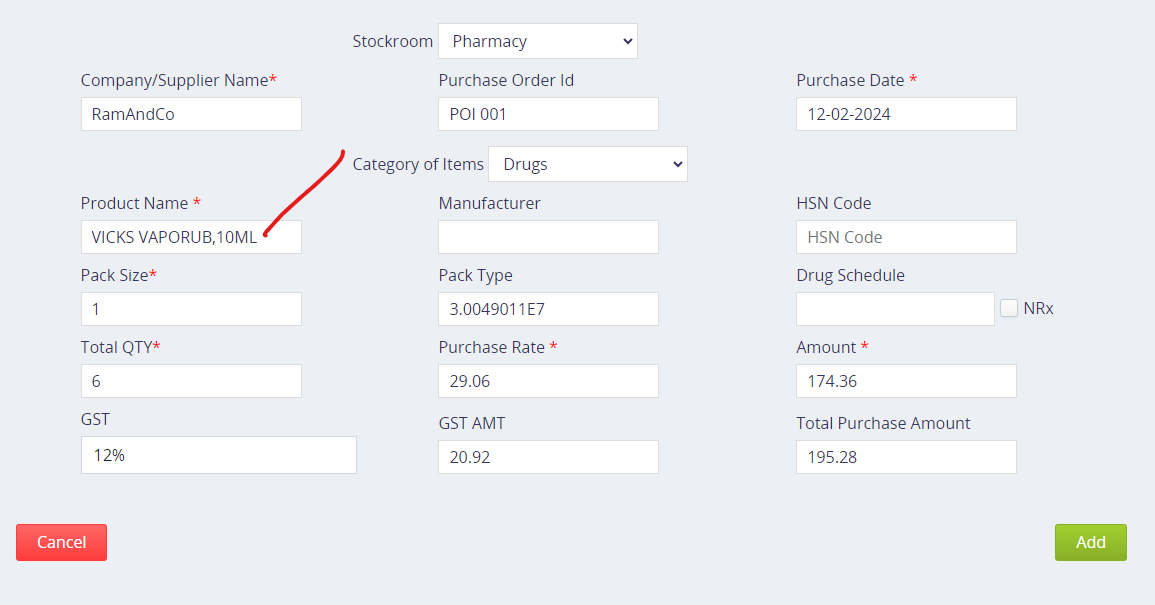
Can we use the Add option under Attributes to locate the element?. Pls see image.
Do you understand what this message is telling you?
It’s simple. The message says, in the target web page, there is no HTML element that corresponds to the XPath expression id("ui-id-4")/b[1].
Have you looked at the HTML source code of your target web page using the Browse DevTools?
Have you ever tried to write a correct XPath expression which can correctly select the HTML element you want?
If you have dynamic elements, in other words, attributes of the element change each time you launch your application, it means that you have to be careful which attributes you use to describe an unique pathway to the element. I would say, if you have dynamic elements, then your <id> is not a usable attribute, especially since it has so few characters. Likely the number is dynamic, but you have already shown <id> with references of 3 and 4 but the characters are the same, so; Not unique.