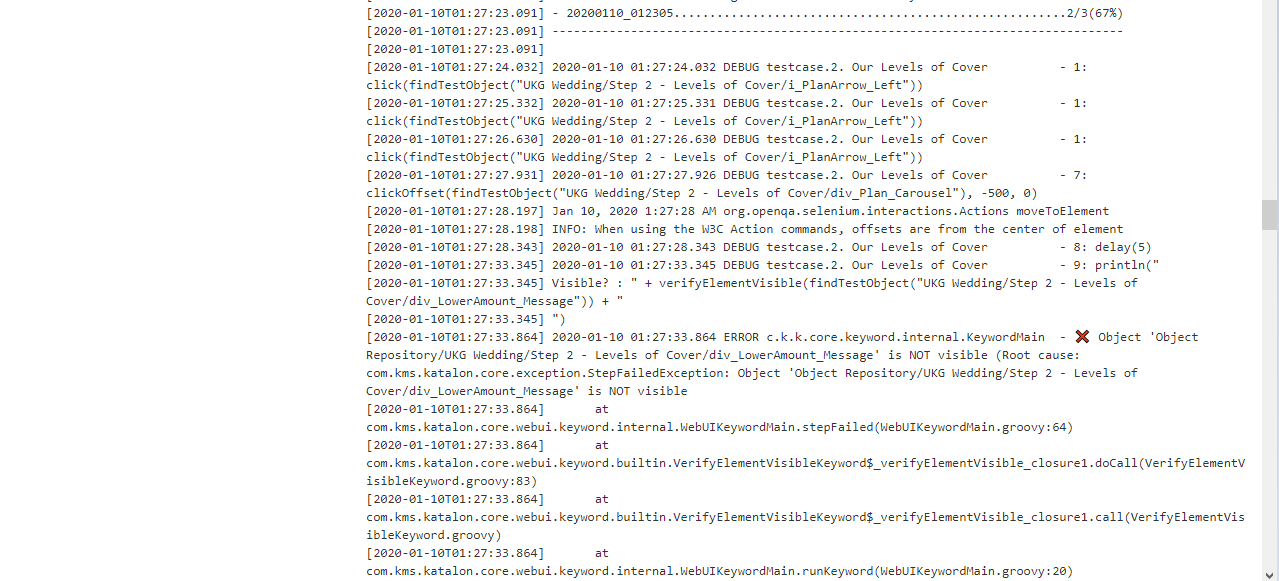
As you can see, I run a verifyElementVisible action and save the result in the verifyStatus variable and then I set a conditional ‘if’ statement to click on an element if verifyStatus is true.
When I run the code on Katalon Studio 7.2.1 on my local machine, the test passes.
To summarise, when running the test in local, verifyElementVisible is able to return true/false and won’t throw an exception. However, when running the same code in Jenkins, verifyElementVisible will throw an exception if the result is ‘false’.
Using FailureHandling is not a solution because even though the test continues, it will still be reported as a failure.
Any assistance with this issue is kindly appreciated.
It seems that the difference is between the visibility of the element on different environments. I doubt that in 7.1.2 the keyword doesn’t throw an exception when the element is not visible.
WebUI.verifyElementVisible by design throws exception when the element is not visible, to make the test continue on execution you’d have to wrap it with try catch block and handle the exception yourself.
A more neat solution is to create your own custom keyword that internally calls verifyElementVisible, catches the exception and returns false. This would be more close to what you expect.
Even WebUI.verifyElementPresent throws an exception if the element is not present. We have attempted to make the keywords return true/false. However it broke existing scripts, and the maintenance efforts were too huge. Just want you to know, since in the future you may need to verify if the element present instead.