Hi everyone
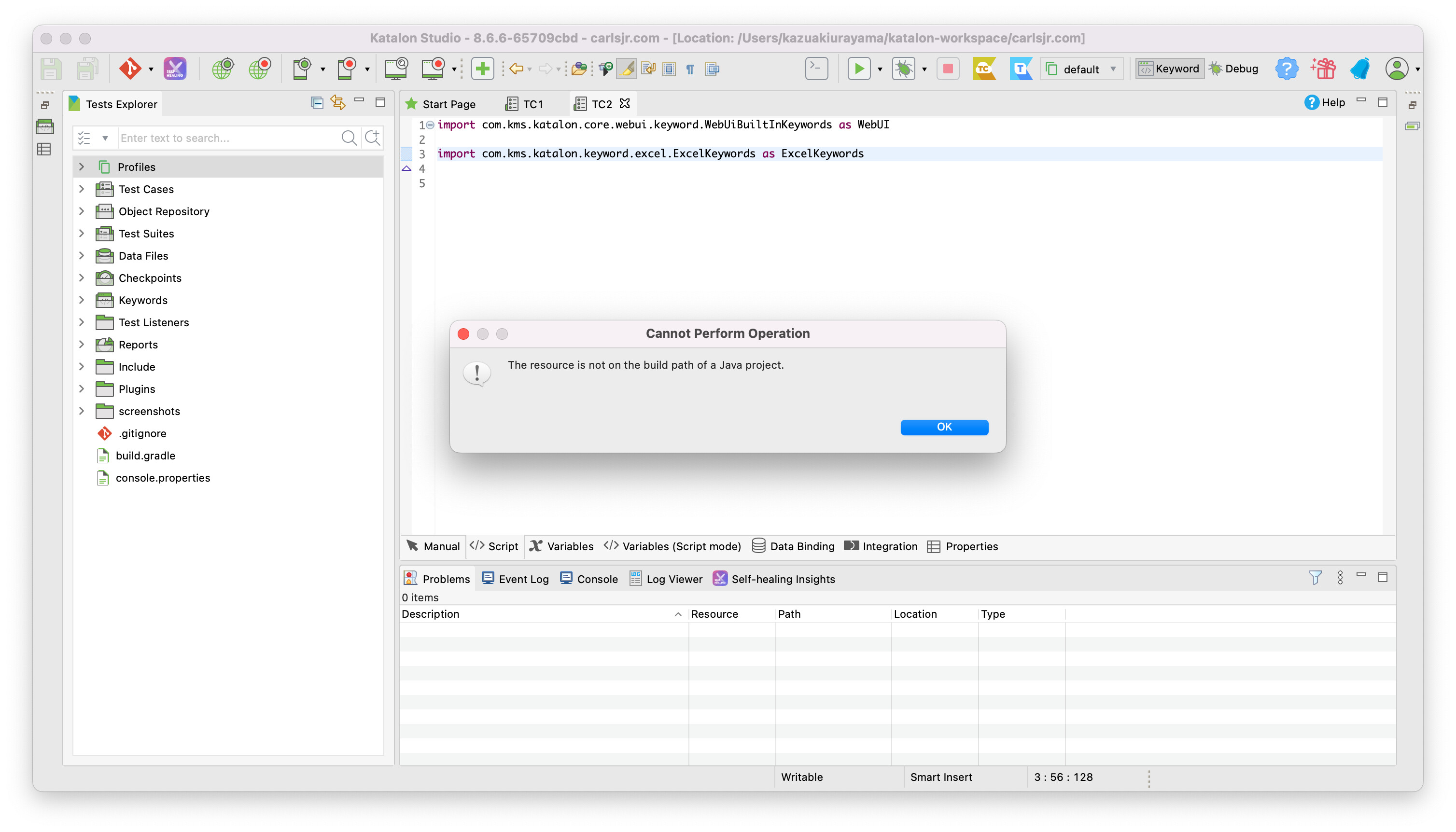
i’m trying to use the plugin Excel keyword when i Hover on “import com.kms.katalon.keyword.excel.ExcelKeywords” , right click, then i select “Open Declaration.”,I get an alert box with the error, “The resource is not on the build path of a Java project.” Does Could anybody please let me know how to resolve this ?
This means as it says, that the the resource (class file) the import statement is pointing to is not on the build path. I assume you want to look at the source of the plugin, it is open-sourced here.
Could you be more specific? That git link was pointing to how it should be structured or so. But I am also facing the same issue. The file is running without problem but when I try to access the declaration/keyword via right click on Cmd+click on the name of the declaration, it throws the below error
I have this same error and the ExcelKeywords are no longer working on my local machine.
Im getting the following error now, and this specific line in the stack trace caught my eye:
com.kms.katalon.keyword.excel.ExcelKeywords$getWorkbook.call(Unknown Source)
How can I add the source to the class path?
java.lang.IllegalArgumentException: MALFORMED
at org.apache.poi.openxml4j.util.ZipSecureFile$ThresholdInputStream.getNextEntry(ZipSecureFile.java:280)
at org.apache.poi.openxml4j.util.ZipInputStreamZipEntrySource.(ZipInputStreamZipEntrySource.java:52)
at org.apache.poi.openxml4j.opc.ZipPackage.(ZipPackage.java:100)
at org.apache.poi.openxml4j.opc.OPCPackage.open(OPCPackage.java:324)
at org.apache.poi.util.PackageHelper.open(PackageHelper.java:37)
at org.apache.poi.xssf.usermodel.XSSFWorkbook.(XSSFWorkbook.java:295)
at com.kms.katalon.keyword.excel.ExcelKeywords.getWorkbook(ExcelKeywords.groovy:115)
at com.kms.katalon.keyword.excel.ExcelKeywords$getWorkbook.call(Unknown Source)
at Save Estimate - Upload CSV File.run(Save Estimate - Upload CSV File:48)
at com.kms.katalon.core.main.ScriptEngine.run(ScriptEngine.java:194)
at com.kms.katalon.core.main.ScriptEngine.runScriptAsRawText(ScriptEngine.java:119)
at com.kms.katalon.core.main.TestCaseExecutor.runScript(TestCaseExecutor.java:448)
at com.kms.katalon.core.main.TestCaseExecutor.doExecute(TestCaseExecutor.java:439)
at com.kms.katalon.core.main.TestCaseExecutor.processExecutionPhase(TestCaseExecutor.java:418)
at com.kms.katalon.core.main.TestCaseExecutor.accessMainPhase(TestCaseExecutor.java:410)
at com.kms.katalon.core.main.TestCaseExecutor.execute(TestCaseExecutor.java:285)
at com.kms.katalon.core.main.TestCaseMain.runTestCase(TestCaseMain.java:144)
at com.kms.katalon.core.main.TestCaseMain.runTestCase(TestCaseMain.java:135)
at com.kms.katalon.core.main.TestCaseMain$runTestCase$0.call(Unknown Source)
at TempTestCase1692730993460.run(TempTestCase1692730993460.groovy:25)
Your issue seems to be a new issue; it has nothing to do with the original old post that concerns about “open Editor Script mode > right click an import statement > Open Declaration … The resource is not on the build path of a Java project”.
Please create a new fresh post on its own for your issue above.
At first I would reword the problem with examples.
Let me assume you have the ExcelKeywords plugin installed into your Katalon Studio.
I created a Test Case as follows:
import com.kms.katalon.core.webui.keyword.WebUiBuiltInKeywords as WebUI

import com.kms.katalon.keyword.excel.ExcelKeywords as ExcelKeywords
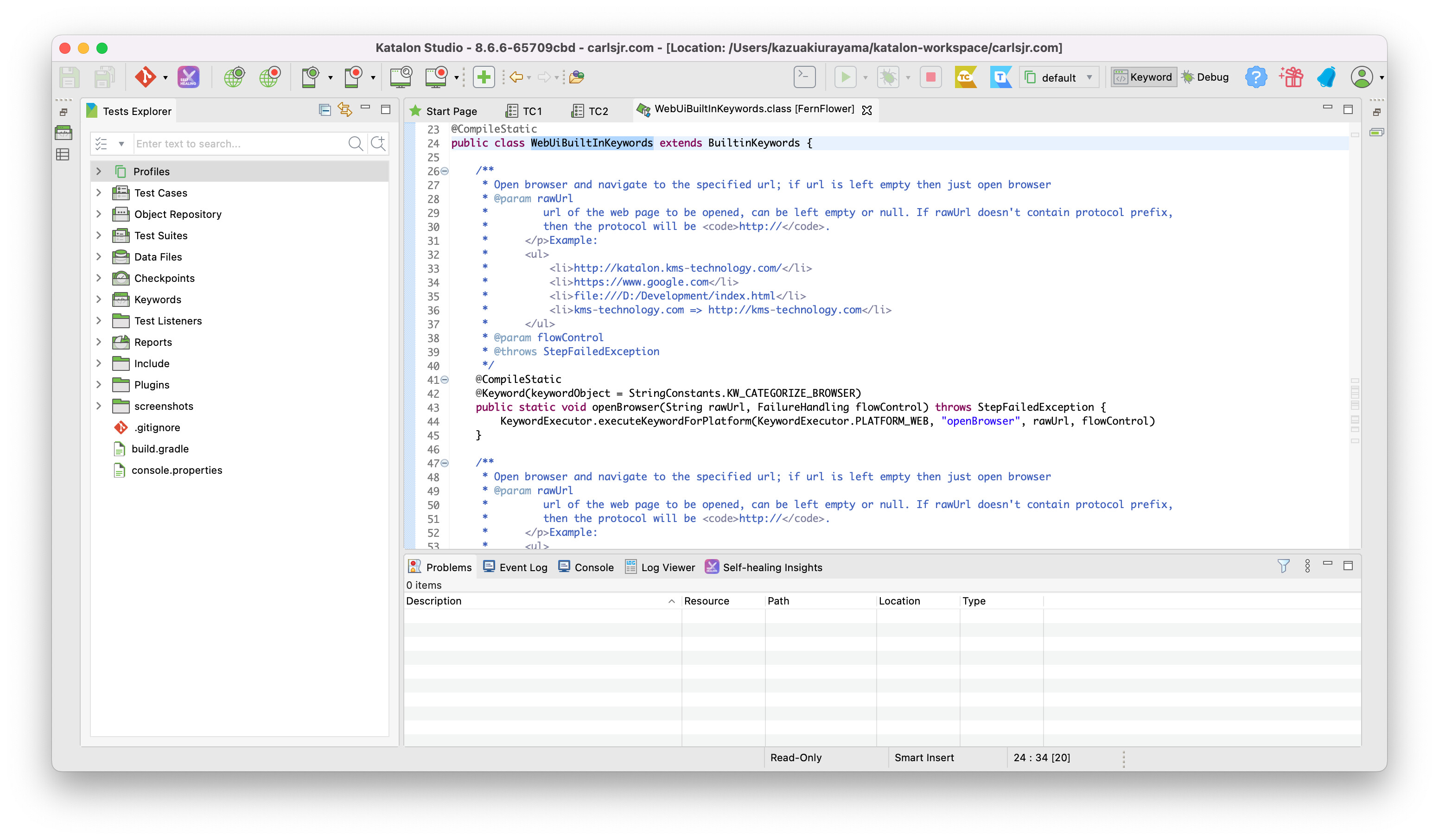
I right-clicked the 1st import statement for WebUiBuiltInKeywords class, selected “Open Declaration”. Then the source code of WebUiBuiltInKeywords, as follows:
I clicked the 2nd import statement for ExcelKeywords class, selected “Open Declaration”. I saw a dialog that says “The resource is not on the build path of java project”.
Now you can find a difference between the two classpatthentry .
The com.kms.katalon.core.webui-sources.jar file contains the source code of com.kms.katalon.core.webui.keyword.WebUiBuiltInKeywords class. Because the sources jar is provided, “Open Declaration” operation could successfully retrieve the source.
On the other hand, the ExcelKeywords plugin does not provide the sources jar. Therefore “Open Declaration” operation for ExcelKeywords failed.
To resolve it, the sources jar of ExcelKeywords is required. Unless provided, users can do nothing.