Maybe you have resolved this problem, but in case someone else also stuck in this, then here are the steps to setup NodeJS (with nvm) and Appium correctly.
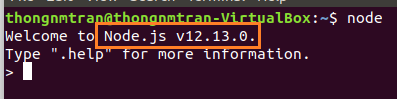
After installing NodeJS with nvm, you can check if NodeJS has been installed correctly by running the command nvm list
You could try opening Katalon from the command line. I think this gives Katalon the context to know where your node is install in the same way your command line does. So:
open -a /Applications/Katalon\ Studio.app
It’s dumb to have to do this but it does the trick for me.
I also tried passing in System properties as JVM arguments in the project settings, and I’m guessing that would work except there is something that attempts to find Node prior to the AppiumDriverManager (which would use the System.getProperty(‘NODE_BINARY_PATH’) if it was there). So you still get the no NodeJS issue. I guess for now go with the command line launch.
hi @duyluong, I think Katalon studio should add 2 configurations to the app. The first one is Android SDK location and the second one is NodeJS location. It will help us a lot on the setting up the test environment
Thanks Adam for the starting from the command line hint - this has worked for me.
I’m finding this all a bit frustrating, though. Using nvm shouldn’t cause this much of a mess. I’m (attempting to) use Katalon with my less-technical colleagues and it’s not too encouraging that I have to jump through hoops to configure the basic services needed. I do hope that plans are in place to improve how Katalon copes with the various ways people may configure Node and Appium.
I did manage to fix the issues with Appium from this thread too, so thank you everyone for reporting your problems here
I have started facing this issue after updating v8.2.5 to v8.3.0 and found a way to resolve the issue.
This issue is because for missing system variable in .bash_profile or Environment variable.
For Mac- Check your .bash_profile and set the node path.
Example-
export JAVA_HOME=/Library/Java/JavaVirtualMachines/jdk-11.0.11.jdk/Contents/Home/
export ANDROID_HOME=/Users/katalon/Library/Android/sdk
export $PATH=/Library/Java/JavaVirtualMachines/jdk-11.0.11.jdk/Contents/Home/
export $PATH=/Users/katalon/Library/Android/sdk/platform-tools/bin
export $PATH=/usr/local/bin
Restart the Katalon studio Hope it will work for you.[Don’t not forget to add the $ with PATH]
Can you share the solution? I have installed Appium and Node JS, I can record mobile, but when running the test case it always appears “It appears that you don’t have NodeJS…”, I have restarted the PC but the result is the same




 . Without this step, Katalon will not know if Appium or NodeJS had just been installed.