Hello,
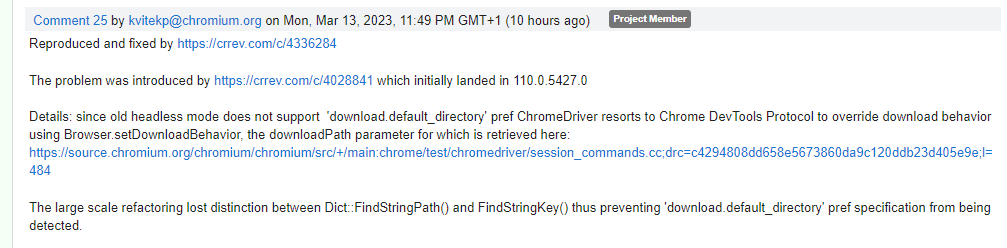
Since 1.5 weeks, downloading files no longer works in chrome headless mode. In normal mode it works. I can find very little about this on the internet except the article below:
https://bugs.chromium.org/p/chromedriver/issues/detail?id=4357
Could it be related to this? And if so they indicate that the workaround should be to use “–headless=new” instead of “–headless”. does anyone know how i can set this up?
I use Katalon RE
thank you in advance
Hi,
I will seek for help from internal team and back to you soon.
Hi. I noticed the same issue. Since this weekend, Chrome Headless no longer is able to download my files to my customized folder it seems. The normal Chrome download works fine.
I updated the WebDrivers (via Katalon) but still does not work.
I see in logs: “Starting ChromeDriver 111.0.5563.64”
2023-03-14 10:23:05.477 INFO c.k.k.core.webui.driver.DriverFactory - browser = Chrome 111.0.5563.64
Some more info on my desired capabilities I set:
                prefs.put("download.default_directory", customizedDownloadDirectory)
                prefs.put("download_dir", customizedDownloadDirectory)
                prefs.put("download.directory_upgrade", true)
                prefs.put("download.prompt_for_download", false)
                prefs.put("plugins.always_open_pdf_externally", true)
                prefs.put("profile.default_content_settings.popups", "0")
                prefs.put("profile.content_settings.exceptions.automatic_downloads.*.setting", "1")
                RunConfiguration.setWebDriverPreferencesProperty("prefs", prefs)
                RunConfiguration.setWebDriverPreferencesProperty("args", ["--no-sandbox", "--disable-dev-shm-usage"])
                RunConfiguration.setWebDriverPreferencesProperty("useAutomationExtension", "false")
...
            RunConfiguration.setWebDriverPreferencesProperty("args", ["--no-sandbox", "--disable-dev-shm-usage", "enable-automation"])
            RunConfiguration.setWebDriverPreferencesProperty("useAutomationExtension", "false")
            RunConfiguration.setWebDriverPreferencesProperty("excludeSwitches", ["enable-automation"])