Why does Katalon not have a in app login option for connecting to repo’s similar to what visual studio has?
For example if my Git Repository hosting service is Bitbucket and the IDE I am using is visual studio, the process of cloning the repo in Visual Studio is easy and straightforward as when I key in the Repo URL to clone, Visual studio will automatically open a mini Bitbucket login window where I can key in my bitbucket credentials and that authenticates the connection. However this mode of authentication is not available in Katalon as the only two methods are either HTTPS or SSH which tends to be a bit cumbersome to setup. Is there a plan to provide us with the extra option of in app login for Git Hosting services like Bitbucket?
2 Likes
Can you introduce the ability to turn off self healing for a line of a code just like how we can disable smart wait for a line of code. I am aware that we can turn off self healing on a keyword basis by adding it to the filter basis but I have come across scenarios where for the same keyword lets say for line 42 I need self healing to be turned on whereas for Line 60 where I am using the same keyword I would want the self healing to be turned off. I believe we should have that flexibility where the user can decide if he wants self healing functionality to activate for a line or block of code rather than at a project level.
4 Likes
Presuming I am in manual mode when writing a test case, Is there a way to navigate to the exact line of code for the manual step with just a click? I am not able to figure out if there is a way or if it is actually possible.
In the below example let’s say I want to know which line of the code corresponds to step 9 which is clicking the ‘Login Button’. How can I know that it is actually line number 36 that corresponds to Step 9


2 Likes
You do not want to switch between Manual and Script mode. The only thing you need from Manual mode is to know if you are exceeding 300 lines of code (my own set limit) because otherwise you may get an error, “Code too large.” If you are in Script mode and then move to Manual mode and do an edit, good luck getting your script back to “normal”. Just don’t.
You can tell where you are between the two by using comments in your code–comments will be in the Description field. I am following test scripts written up, so I have a lot of numbered comments from the write up.
"set up login"
WebUI.setText(findTestObject('Page_Login/txt_Username'), Username)

WebUI.setText(findTestObject('Page_Login/txt_Password'), Password)
1 Like
Let me give you some references to the classical problems in Katalon Studio, that are worth noting.
Also see Braces dissappear - #3 by kazurayam
2 Likes
Hi @DucLa,
Recently, we’ve been investing more effort in improving StudioAssist. If you tried the chat window, you will see that now the chat can include context like object repository, the content of the current file you are opening, and you can also attach files from Studio projects or from your local machine to the chat. For example, you can attach your manual test cases in an Excel file to Studio to generate more code, or include your OpenAPI specification in the chat to generate API test cases.
With more context, StudioAssist can generate more relevant code. In the latest version, you can also have access to the prompt library, in which you can customize the experience with StudioAssist even more.
If you have any specific use cases or suggestions to improve StudioAssist, feel free to reach out to us; we would love to hear more from you.
Hope that this would help 
3 Likes
@grylion54, thanks for sharing with us the info. If possible, we would love to know how many test cases, objects, and custom keywords you have in that project as well. I also saw that Kazurayam suggested an approach to clean up unused test objects, which I believe can help too.
For the rename issue, we have just improved the performance for this in the latest version (10.2.3 onwards). You can try upgrading to the latest and see if it’s improved for your project.
2 Likes
Hi @rumana.shaik,
If you’re using 10.2.0 onwards, we have improved the HTML TSC report, so now you can see the test case level in the TSC report. For step details, you still have to go to each test suite report to view more. Here’s an example of the new TSC report:

Hope that this would help, but if you have other suggestions for the report, feel free to let us know

2 Likes
In our project, we decided to define manual xPath for all test objects to make locators more maintainable. However, in some cases, the locator is still deprecated and Katalon cannot find the element.
We use Katalon Studio Enterprise. Although enabling Self-healing, this feature does not work as expected. So the element is still not found and test case is failed.
Could Self-healing work when test objects are defined manually (without using Katalon Recorder)? If not, are there any other ways to combine self-healing and manual defined test object effectively?
Thank you in advance for you help.
1 Like
Hi @xuan.tran
Thanks for the reply. I have noticed that improvised HTML report, but my question was if we are having 6 suites in one test suite collection and I have executed complete collection. Here I’m getting reports to each suite individually. Is there anyway that I can get a single report for the whole test suite collection.
1 Like
@rumana.shaik, the screenshot I sent you above is the report for 1 TSC, it contains all TS and test cases you executed in that TSC. In the report folder, it’s located in the TSC report and named index.html

1 Like
Hi @linhmphan,
Is there any other locators that you defined in your test object, or is it only just XPath? If you captured the test objects at first using Web Recorder, we will capture all types of locators so that when using Self-healing, it can fall back to other locators if the first one fails. Recently, we have Recorder Plus and Smart Locator, which are also reliable, so maybe you can try using these combined with your custom XPath.
Hope that this would help
1 Like
Hi @athifk,
I read all of your 3 ideas and I’m really appreciate that you shared this with us so that we can improve our product better. I’ve put them into our backlog for future improvements. If you also have other items that you want to suggest to us, I’m here all the time, so feel free to tag me in
1 Like
@xuan.tran I cant find any file named index.html in my collection reports. I can only see 2 files please find the below screenshot of those 2 files. In some cases i’m only seeing .rp file

3 Likes
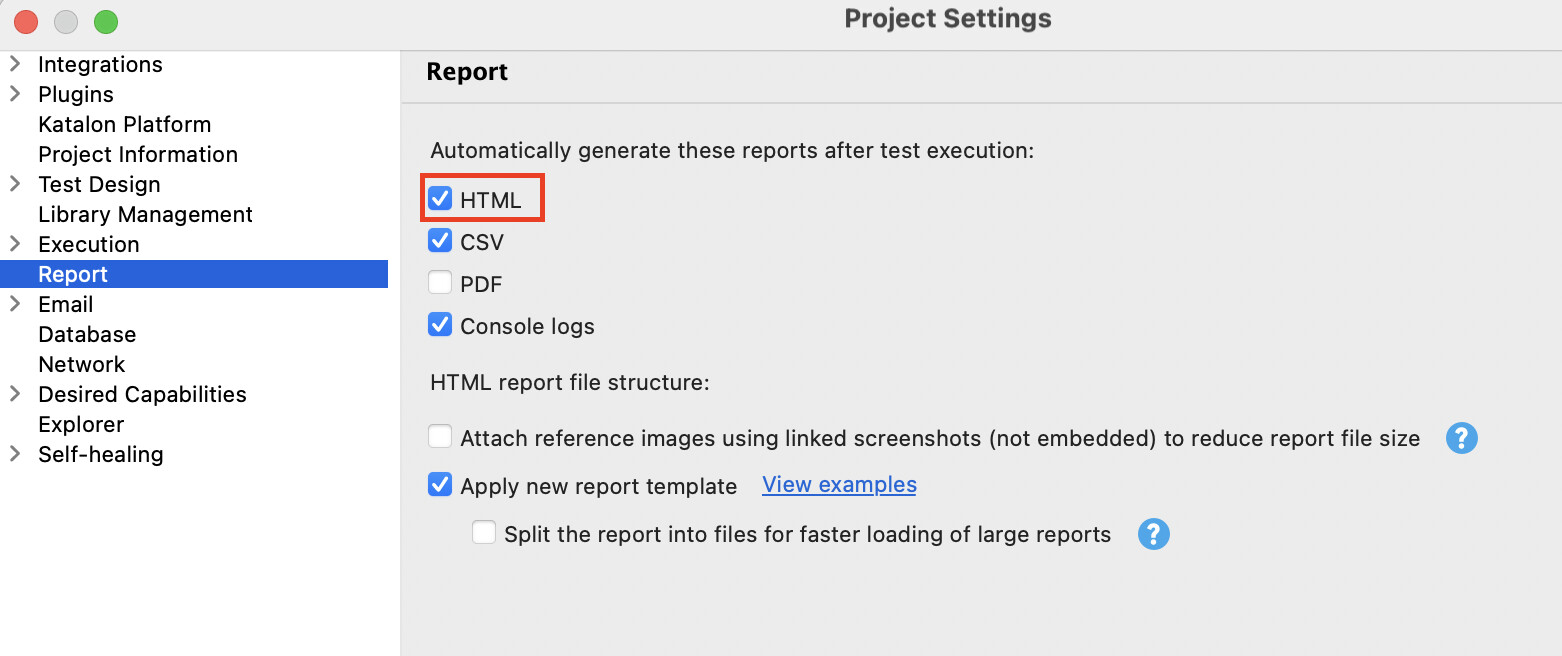

2 Likes
Got it, Thanks for the information @xuan.tran
3 Likes
@xuan.tran From the above process, we are able to see the report of entire collection in only html format, that too here we are not able to expand the test case to see the failure step.
Is there any way to get reports of all test suites from a single collection in single csv format
2 Likes
@rumana.shaik, hmm, let me try to clarify what I understand from this. So you want:
- In the HTML TSC report, you want to expand the test case to see test steps inside
- a CSV report for TSC
2 Likes
@xuan.tran Exactly! What you understood is correct.
1 Like
Thanks @rumana.shaik for sharing,
So far, these are not supported yet in KS, but I added these to our backlog for future releases
3 Likes