the resulting value in “audduration” is null and doesn’t equal what the javascript is returning. So the "String audduration = " part of the statement is not working. Any ideas on what might be wrong?
Well, the code is assuming that the forEach loop is going to succeed. It may not. And if it doesn’t succeed, it will return undefined (which I believe may get translated to null in Groovy).
Background: When Groovy wraps your JS and passes it to the browser, it is inserted into an anonymous function like this:
WebUI.executeJavaScript('alert("hey!");', null)
// – becomes – //
function() {
  alert("hey!");
}();
And the result of a function that does not return anything, is undefined – which is exactly what that IIFE above would do.
So, question is, are you seeing the code returning undefined?
I don’t know what " You can’t exit early from forEach . You could use a traditional for loop or try Array.every / Array.some" means, but I’ll ask my developer.
Regarding your first comment, the code returns the correct value, not “undefined”. But when it tries to store it in the variable, it fails to do so.
Understand this: undefined is what JavaScript returns from a function that returns no specified value. FACT. However, in Groovy, undefined has no meaning so it likely translates it to null which is a workable solution to the problem.
It is, Jeff, trust me. That’s how JavaScript works.
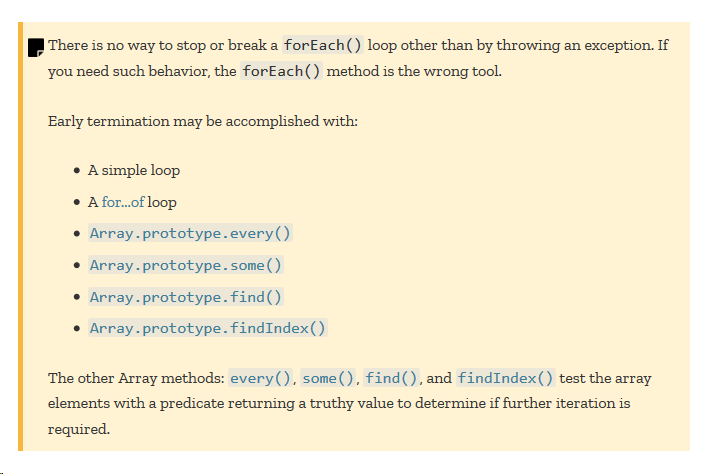
There is only one way I can think of for your forEach to be behaving differently: your “developer” has hijacked (overwritten) the Array.forEach prototype. Doubtful.
Try this. And before you run this code, be sure you understand what YOU are saying compared to what I am saying. This code backs up what I am saying but runs counter to what you are saying.
    String js = '''
      [1,2,3,4,5].forEach(function(n) {
        if(n === 3) {
          return n;  // WILL NOT WORK
        }
      });
    '''
    int n = WebUI.executeJavaScript(js, null)
    println "result: " + n
That should fail with an error complaining about casting null to an int – and rightly so. It’s broken code.
Now try this:
    String js = '''
      [1,2,3,4,5].forEach(function(n) {
        if(n === 3) {
          return n;  // WILL NOT WORK
        }
      });
      return 99;
    '''
    int n = WebUI.executeJavaScript(js, null)
    println "result: " + n
You’ll get 99 printed to the console. If you’ve understood what I was saying, it proves you cannot return a value from inside a genuineArray.forEach method. PERIOD.
Now, to answer your question (implied in the title of your post) - “Variable not receiving value from javascript”
Your code as listed returns undefined.
Groovy turns undefined into null
You then assign null to audduration
So your variable is receiving a value from JavaScript (just not the value you’re expecting because your code is invalid/not doing what you thought.)
Yeah, because you’re not running it against the page on my website so there is no data for it to return. When run against the table shown in the attachment, it returns “2”, which is the correct value.
Jeff, I’m sorry, but if you are not going to listen to what I’m trying to teach you, I need to bow out of this cyclic (and frankly pretty pointless) conversation.
By way of courtesy, I’ll make a call out to a few other “code heads”, perhaps they can steer you straight:
I’m just the middle man between you and the developer I’m working with. I don’t know javascript nor do I understand it. I’m just relaying here. Also, I’m not trying to learn javascript right now, I’m just trying to get a value into a variable. Thanks.
Valid code. Will return a string value “Hello world!”
But there’s no point, Brandon. His code does not return a value except undefined which is correct for that code when wrapped by Kat/Webdriver and inserted in the page. As I said earlier in the thread:
Jeff (and perhaps his developer?) think they can return early from .forEach, which, like .each in Groovy, means “visit them all” - there is no way to exit early.
I think you’re probably right, just trying to address some unknowns. To your point, could he use a break; upon finding the correct element? Thinking something like:
var title_cells = document.querySelectorAll(".views-table tbody tr td.views-field-title");
var innerHTML;
title_cells.forEach(function(cell) {
if (cell.innerHTML.includes("AUD Entitlement Product")) {
    innerHTML = cell.innerHTML;
    break;
}
})
return innerHTML;