
Hi Community members, 
 Have you ever faced issues where you cannot select the dropdown values due to various reasons such as:
- Not possible to click the Dropdown button because of the
Object not founderror, or - Not possible to select Dropdown values using Select Option Keyword because the object are not under Select tag (li, span, input, etc…).
Having said that, today, we are sharing with you a few steps to help you resolve the issues above. Read along below 
Step 1: Locate the Dropdown button
- We need to make sure the Dropdown button are detected correctly by manually inspect on the web page.

- It is recommeded to locate the button by its unique Relative Xpath.
If you are not sure how to capture the Relative Xpath correctly, you can use some other Chrome Extension as POM Builder.
Step 2: Select Dropdown Value using Parameterize Objects
- First, you need to locate the value in the dropdown list that you want to choose.
For example, we want to select Chinese. Manually inspect it and make sure to locate the value correctly. In this case the correct xpath is: //div[.='Chinese'].
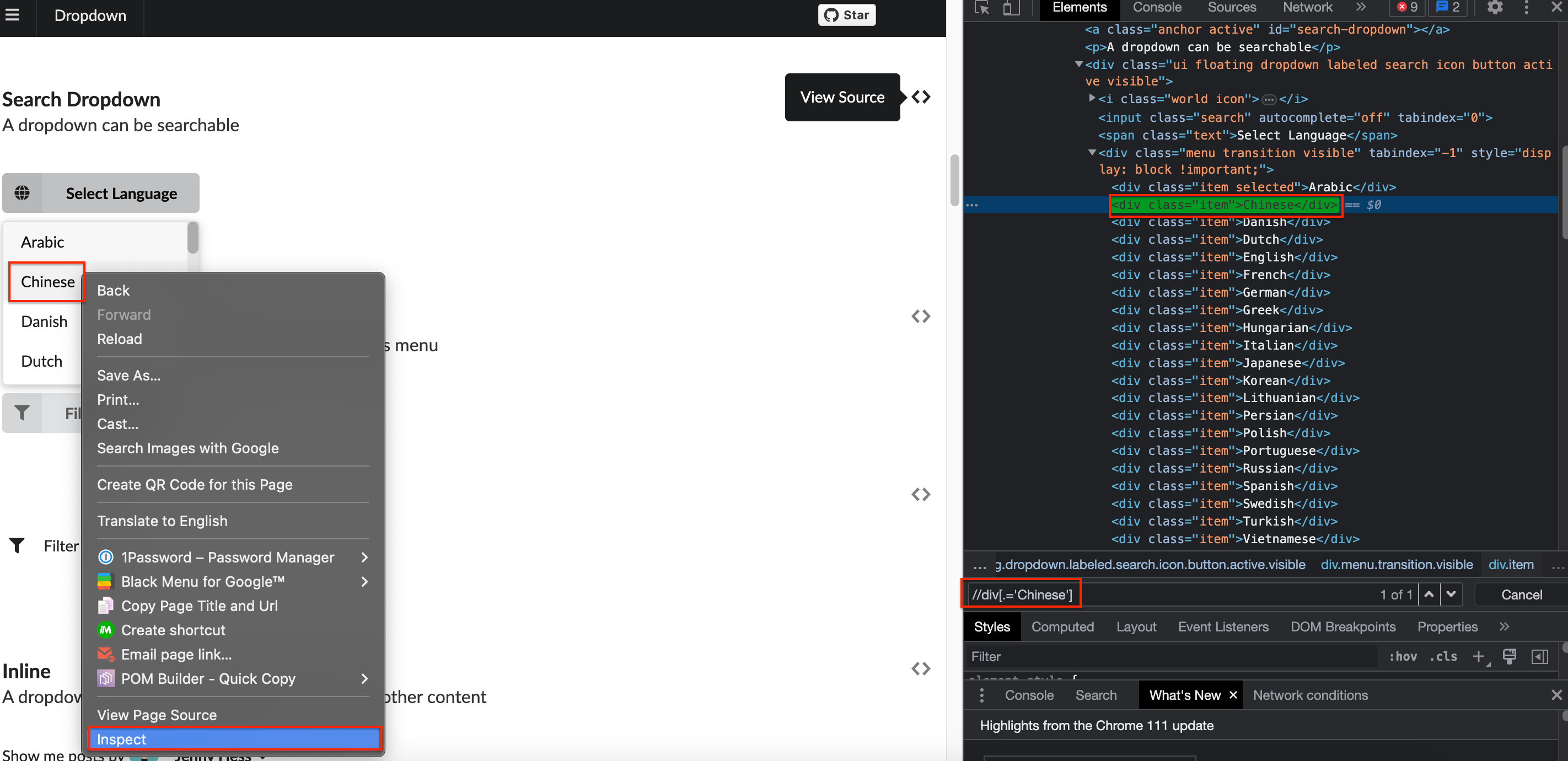
- Copy this Xpath and save it for later use. From Katalon, create a new test object name
div_Language_Selectand paste this Xpath as a Locator.

- Now replace the value Chinese by using the
${language_var}following the Parameterize Objects rule.
We have //div[.='${language_var}']

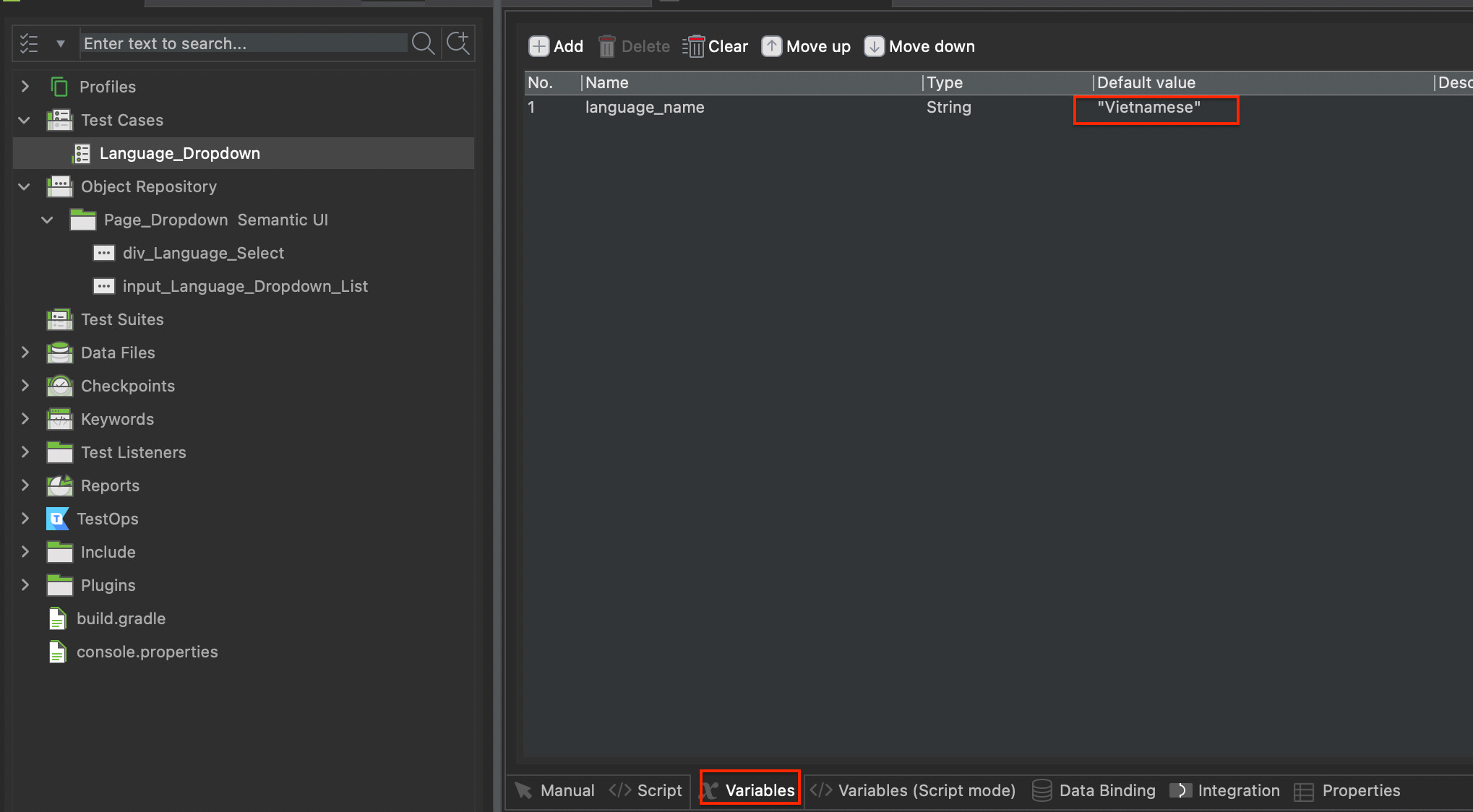
- From test case menu, click on the Variable tab and create a new variable call
language_nameand set the value you want. In this case we chose Chinese.

- Click on Test Case manual view, open the object for the dropdown value and add the Param type as below:

language_varis is the one we use from//div[.='${language_var}']
language_nameis the one we use from the variablelanguage_namecreated from the test case
- Now run the test, it will select the value Chinese from the drop down list. If you want select other value, just simply define in the test case variable
References
1. Sample project
https://github.com/kdang0510/Dropdown_Parameterize
2. Video demo
If you find the article above helpful, then don’t forget to leave us a like  or a heart
  as well as share this article to your colleagues and team members (instructions below).
Katalon Product Support team

