@kazurayam @albert.vu @mohit.kumar : Do we have any solution for this as i am not getting this extent report auto generated via azure but locally it is working fine with katalon.
By default, we save the extent report in the project’s default location. However, for CI/CD in Azure, we need to modify this process.
Hi Mohit,
With below yaml configuration in CI\CD azure, i am getting Katalon reports successfully but what to change for Extent report. Please suggest if you already using Extent report with azure pipeline.
task: PublishBuildArtifacts@1
displayName: Publish Artifact
condition: succeededOrFailed()
inputs :
PathtoPublish: ‘$(working-direcrtory)\Reports’
ArtifactName: ‘reports’
publishLocation: ‘Container’
@mohit.kumar : Hi Mohit may be these logs in azure can help you :
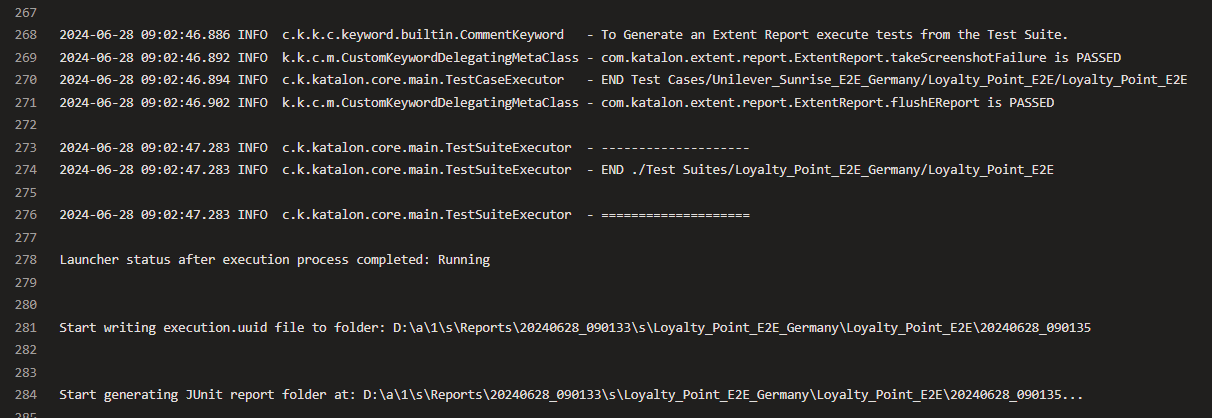
Hi Team,
To use the Extent Report plugin with any CI/CD pipeline like ADO, users need to customize the project path and attached screenshot path. so I need to update a few functions to make this work efficiently for CI/CD environments like Azure DevOps.
I’ll provide the necessary changes shortly.
The new Extent Report plugin allows Katalon users to run Extent Report keywords from any pipeline, including Azure DevOps. Download the latest Extent Report plugin here.
extent-report-sample-all.jar (7.3 MB)
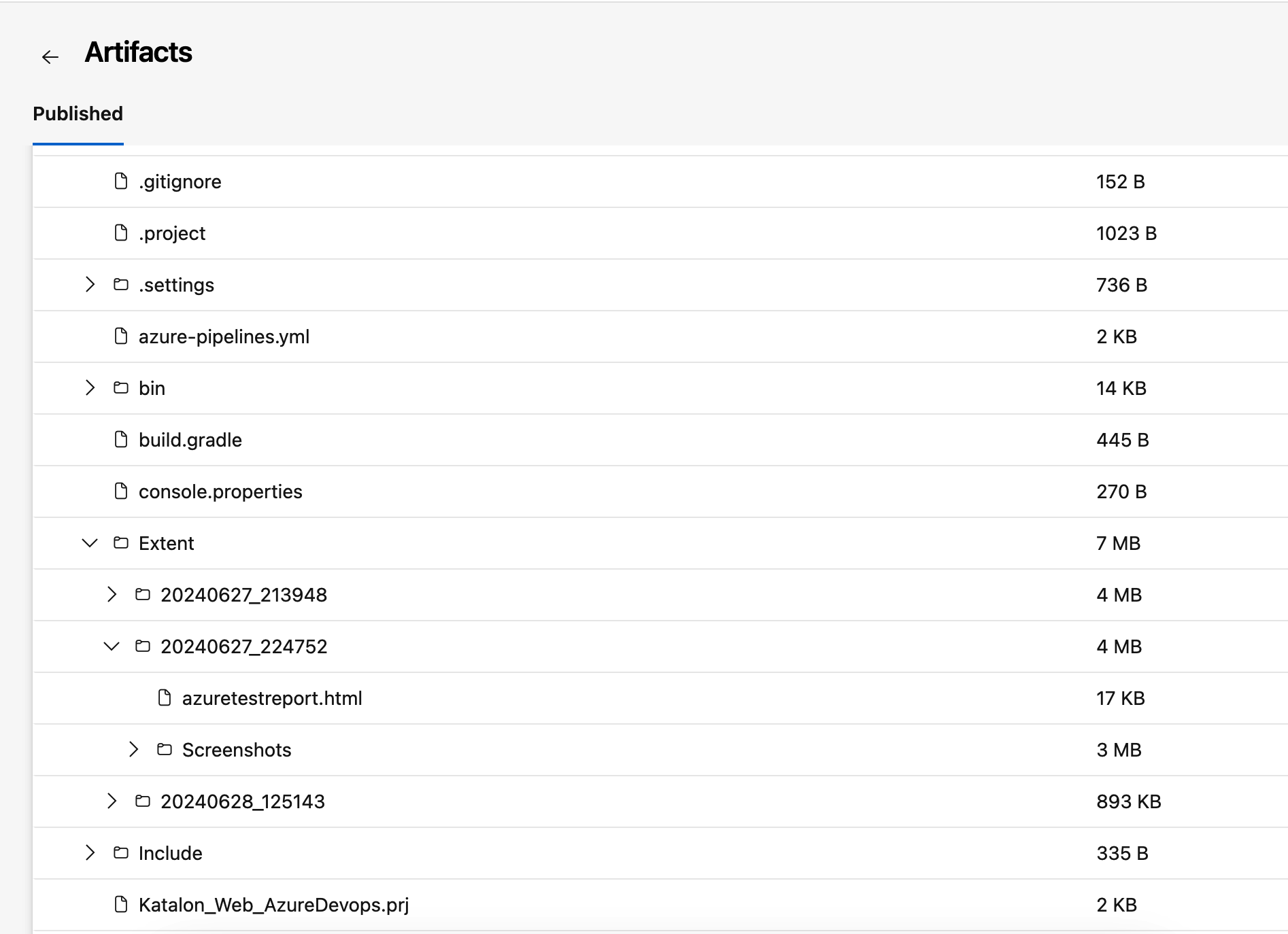
Steps to use Extent report with ADO.
1. Modify the Before TestSuite Listeners.
@system BeforeTestSuite
def sampleBeforeTestSuite(TestSuiteContext testSuiteContext) {
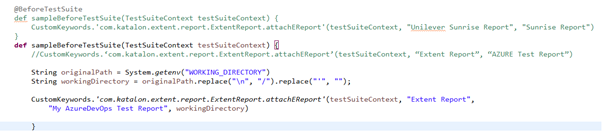
//CustomKeywords.‘com.katalon.extent.report.ExtentReport.attachEReport’(testSuiteContext, “Extent Report”, “AZURE Test Report”)String originalPath = System.getenv(“WORKING_DIRECTORY”)
String workingDirectory = originalPath.replace(“\”, “/”).replace(“"”, “”);CustomKeywords.‘com.katalon.extent.report.ExtentReport.attachEReport’(testSuiteContext, “Extent Report”, “My AzureDevOps Test Report”, workingDirectory)
}
2. Reuse new Add screenshot function with parameter. Exp.
WebUI.click(findTestObject(‘Object Repository/OR Cure Health Care/Page_CURA Healthcare Service/button_Book Appointment’))
CustomKeywords.‘com.katalon.extent.report.ExtentReport.attachLog’(‘Click Book Appointment’)
//path is where you are downlaoding ADO artifacte in your local computer.
CustomKeywords.‘com.katalon.extent.report.ExtentReport.addScreenshot’(‘/Users/mohit/Downloads/Katalon’)WebUI.click(findTestObject(‘Object Repository/OR Cure Health Care/Page_CURA Healthcare Service/a_Go to Homepage’))
CustomKeywords.‘com.katalon.extent.report.ExtentReport.attachLog’(‘Click on Go to Homepage’)
Step 3: Prepare ADO yml file.
trigger:
- master
pool:
vmImage: ‘windows-latest’variables:
workingDirectory: ‘$(System.DefaultWorkingDirectory)’steps:
task: JavaToolInstaller@0
inputs:
versionSpec: ‘11’
jdkArchitectureOption: ‘x64’
jdkSourceOption: ‘PreInstalled’
jdkDestinationDirectory: ‘$(Agent.ToolsDirectory)/jdk’
displayName: ‘Set up JDK 11’script: |
echo "Current Working directory is: "$(workingDirectory)
echo “##vso[task.setvariable variable=workingDirectory]$(workingDirectory)”
setx WORKING_DIRECTORY $(workingDirectory)
displayName: ‘Print Working Directory’task: katalonTask@1
inputs:
version: ‘9.5.0’
executeArgs: ‘-browserType=“Chrome (headless)” -retry=0 -statusDelay=15 -testSuitePath=“Test Suites/Regression Suite/TS Cure Health Care” -apiKey=“Your Api Key” --config -proxy.auth.option=NO_PROXY -proxy.system.option=NO_PROXY -proxy.system.applyToDesiredCapabilities=true -webui.autoUpdateDrivers=true’
env:
JAVA_HOME: $(agent.toolsDirectory)/jdk
WORKING_DIRECTORY: $(workingDirectory)task: PublishBuildArtifacts@1
inputs:
PathtoPublish: ‘$(workingDirectory)’
ArtifactName: ‘Katalon’
displayName: ‘Publish Build Artifacts’
Step 4: Trigger the ADO pipeline and verify the build status.

Step 5: Download the artifacts and verify the result.
1 Like
Hi Mohit, I copied your listener code but it seems syntax is not proper

then I modify according to the suggestion for replacing “\” with “\n” in katalon console and there is no syntax error.
Then I am using log and screenshot functions as shown in example but it shows underlined.
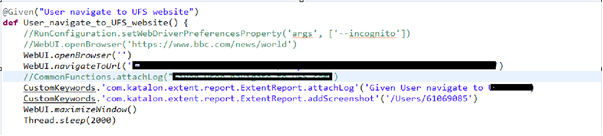
Please let me know how to resolve these issues.
Hi @sureshyadav.devarala you have to verify few things.
- verify working directory path and if there are no “" then you can remove .replace(”",“/”) from the line.
- Make sure you have added the new library(.jar) and restart the katalon once and reload the plugin.
Possibly, this should rather be:
String workingDirectory = originalPath.replace('\\', '/').replace('"', '');
Let me remark 2 points.
-
Groovy language requires a single backslash character
\in a string literal to be escaped with one more backslash character. So you want to write'\\'rather than'\'. -
Be warned of the behavior of Discourse, the software that hosts this user forum. Discourse silently translates a pair of quotation mark characters in a post text
"....."into a pair of LEFT DOUBLE QUATION MARK and RIGHT DOUBLE QUATION MARK “…”. This translation turns your Groovy code syntactically invalid. If you want to prevent this character translation, you need to enclose your code in a post text with a pair of backticks or a pair of tripple backticks. They call it as Inline code formatting
@kazurayam Yes Agree.

The CustomKeywords. is underlined by the Script Editor. This indicates that your katalon project is somewhat broken.
Normally, a Katalo project has a file <projectName>/bin/lib/CustomKeywords.class, like this:

The underline suggests to me that the bin/lib/CustomKeywords.class file is missing or corrupted. You need to recreate it cleanly.
How to recreate it?
Close the project, remove the bin folder manually, then reopen the project. Then the file will be automatically recreated by Katlaon Studio.
Thanks Mohit & Kazurayam for the detailed explanation.
@mohit.kumar : Can you please share me the yml file instead of copying the code as current one need lots of change when paste in azure.
@kazurayam : I tried to follow the process and it still shows me underlined but it is working as expected when check in Katalon report locally. I also clicked on reload plugin and manage plugin, manage plugin shows blank with no plugin installed but reload plugin shows it as successful. Let me know if this is ok
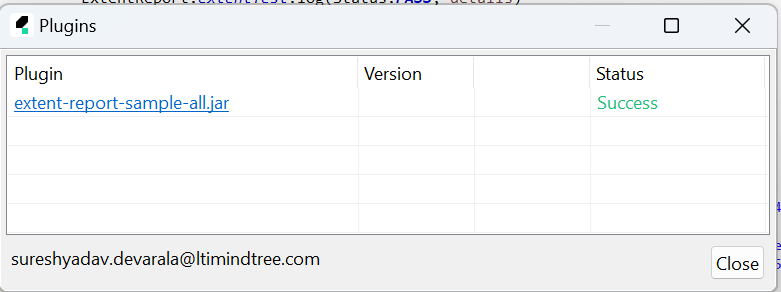
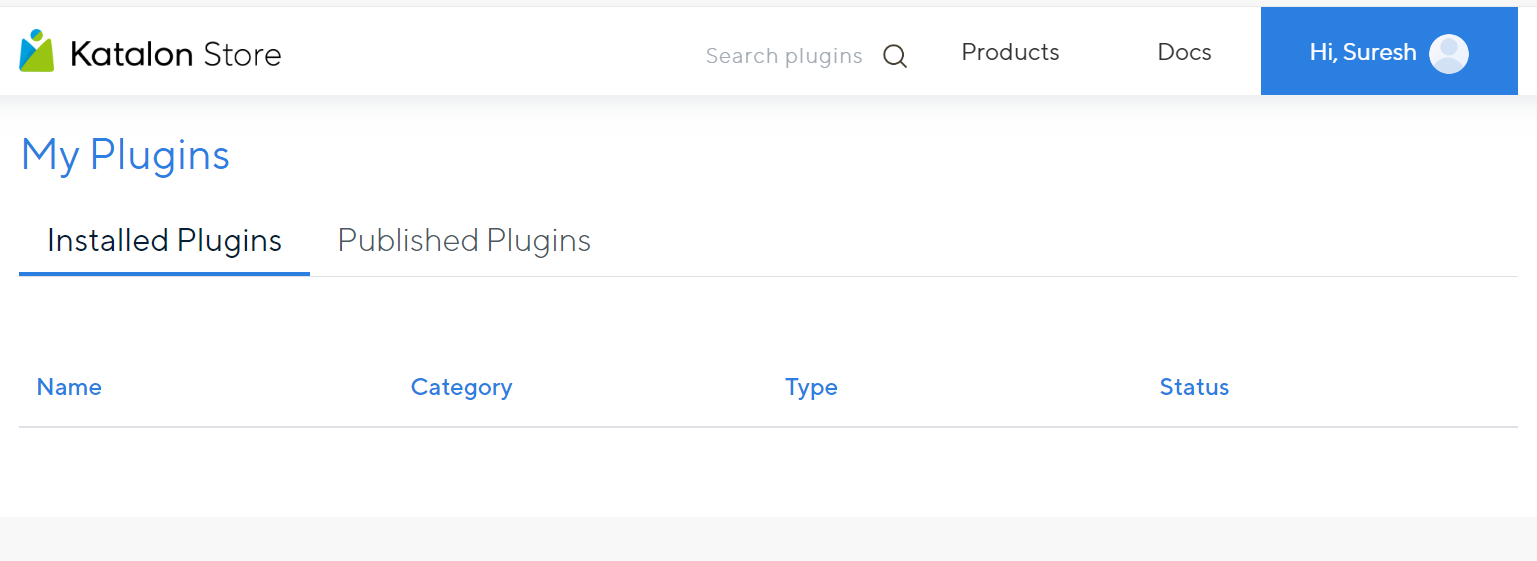
There could be some bug, but I have no idea why.
But I know, Katalon Studio has more bugs of inappropriate underlines. You shouldn’t worry about it. Just ignore it.
This implies that the Plugin Manager NO LONGER sees the jar as a a plug-able module.
The jar was initially published as a free plugin managed by the Plugin Manager. Later Katalon changed it to be a exclusive feature bundled in the Enterpricese license.
Katalon casually changes their licensing terms, but their software products are often left unchanged; so that their product looks strange.
Possibly you have an Enterprise license. Then you shouldn’t worry about the Plugin Manager.
I wonder why Katalon still keeps the Katalon Store page published and visitable, which confuses visitors. The page invites everyone to install it,
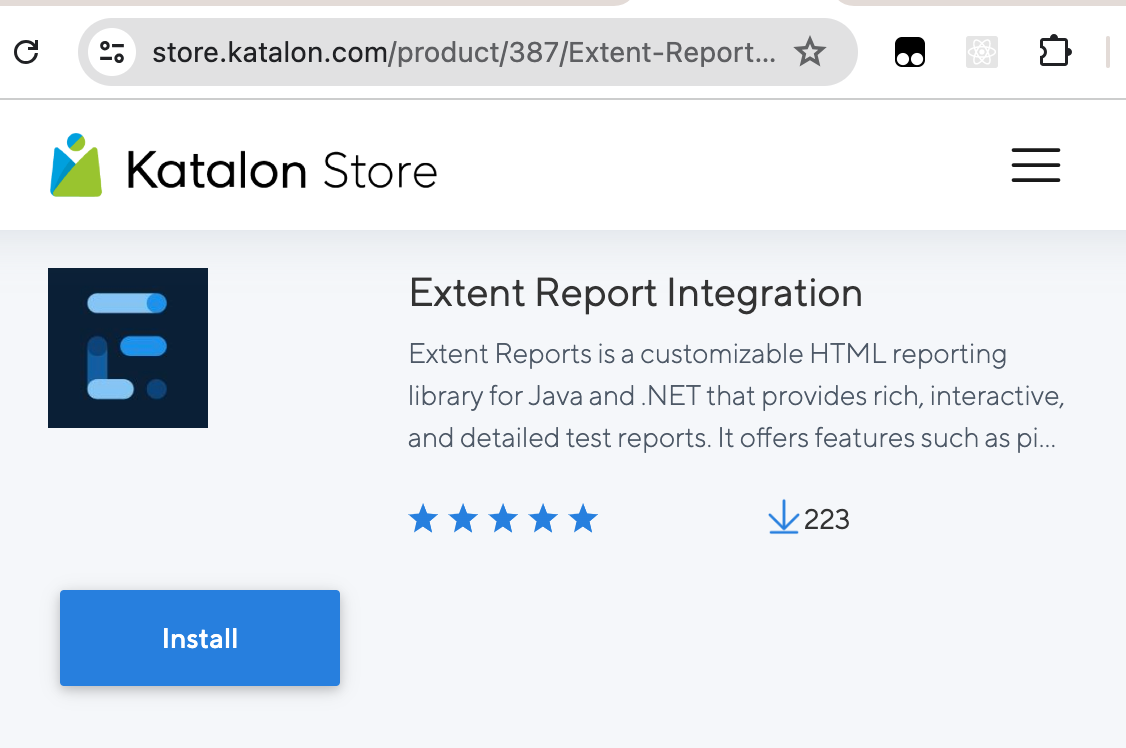
but in fact the Free Plan users can not use it. They would surely be puzzled.
Katalon, you are too lazy for documentation! A confusing presentation would break the product’s reputation.
Thanks Kazurayam, though i am not getting any error in Katalon locally but when i execute with azure as suggested by @mohit.kumar i am getting below error.

We have to find a way to resolve this underlined issue:
On the machine where your Azure process runs, can you confirm if there is the <projectDir>/bin/lib/CustomKeywords.class file at all?
Hi Kazurayam,
Thanks for the reply. I found this in two folders under my project
-
bin/lib/CustomKeywords.class
CustomKeywords.class (4.4 KB) -
Libs/CustomKeywords.class()
CustomKeywords.groovy (2.3 KB)
In azure i execute it through Auto Test .prj file
CustomKeywords.groovy (2.3 KB)
Let me know if you need more information
The CustomKeywords.groovy file you shared looks just fine.
Which version of Katalon produts are you using, on your local PC and on Azure?
Are you using the Enterprise version or the Free version?
CustomKeywords was free up to v9.0, but since the v9.1 CustomKeywords are not available for Free plan. I have a doubt that you are trapped in this restriction and got underlined.