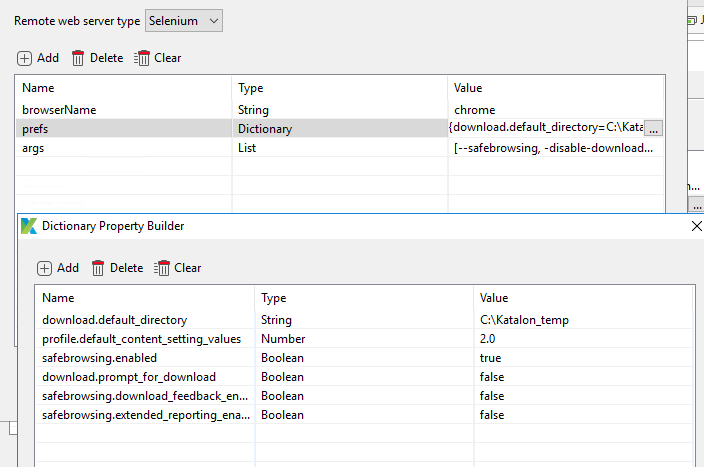
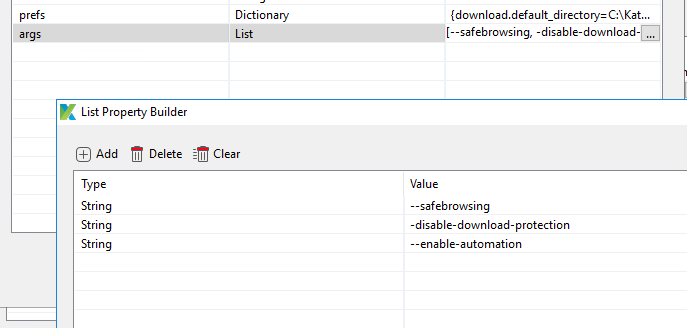
This is by far the best solution if you want to have a set of capabilities apply to all Test Cases that use the driver. Otherwise, you would need to get and configure the driver from Katalon before every script.
Thanks Brandon for your response. Agreed this is the best way. I am not able to figure out how to set the experimental option i.e options.setExperimentalOption(“useAutomationExtension”, false); from project settings desired capabilities.
This is helpful, all. Thanks especially to @Brandon_Hein.
One question. Which combination of args and prefs turns OFF the “This type of file can harm your computer…” pop up? Would like to just download automatically. Got this to work in Firefox, but it seems Chrome has a different way of handling this. Any help appreciated.
here is what I currently have, but it’s not working:
I’ve got them in a dictionary, but I don’t think I have the right combinations of prefs (or args). Here is what I currently have (and I still get the popup)
Boom, that got it. How counter-intuitive. I assumed we wanted “safe” off in this case. Weird.
I also found I didn’t need most of that other stuff. I thinned it down to the below.
THANK YOU, @Brandon_Hein
Indeed it is. Thanks for reminding me though, I’m going to write a tip right now for how I determine the correct desired capability settings for various things. Stay tuned


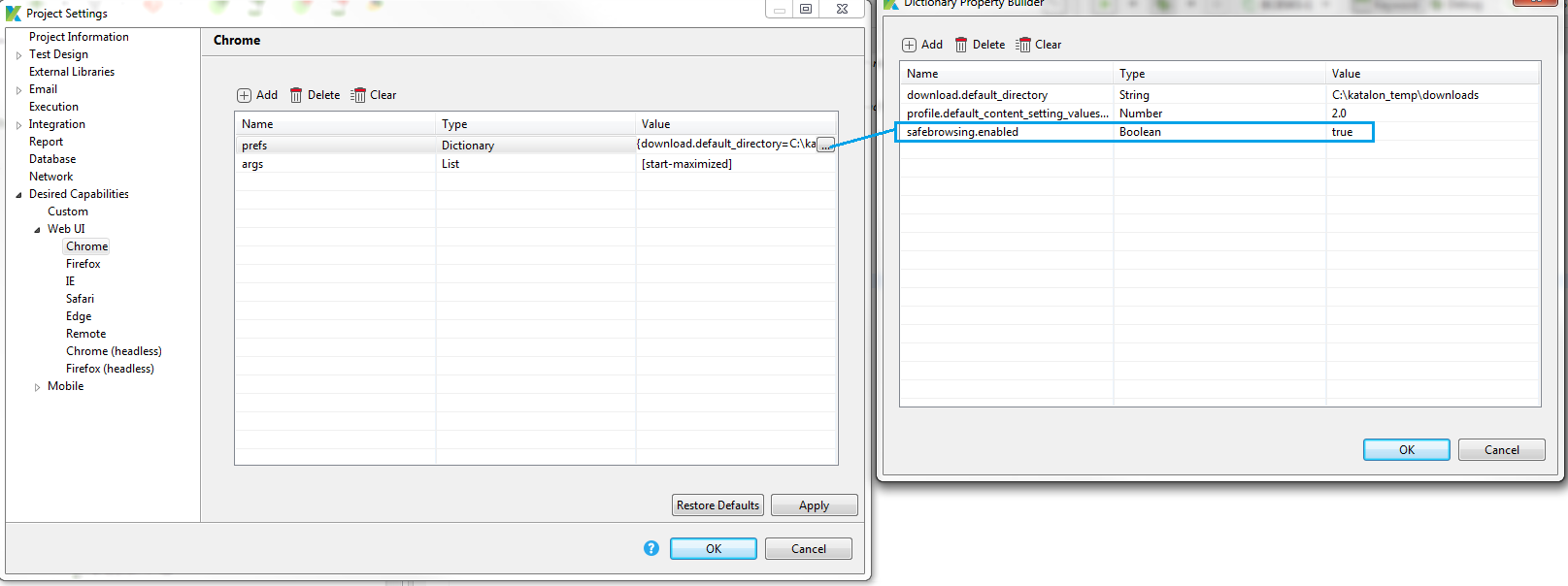


 But I can’t imagine the process being much different.