This is a companion discussion topic for the original entry at https://docs.katalon.com/katalon-store/docs/publisher/develop-custom-keywords.html
This is a companion discussion topic for the original entry at https://docs.katalon.com/katalon-store/docs/publisher/develop-custom-keywords.html
I’m getting the following error when packaging my custom keywords (I’m new with Gradle):
~/test-projects/project_template.do-not-modify $ gradle katalonPluginPackage
Starting a Gradle Daemon (subsequent builds will be faster)
FAILURE: Build failed with an exception.
-
Where:
Build file ‘/home/pentaho6/test-projects/project_template.do-not-modify/build.gradle’ line: 1 -
What went wrong:
A problem occurred evaluating root project ‘project_template.do-not-modify’.
Could not find method plugins() for arguments [build_6tdk8u13k3f1rr6ysushd0pq$_run_closure1@204a1f6e] on root project ‘project_template.do-not-modify’ of type org.gradle.api.Project.
-
Try:
Run with --stacktrace option to get the stack trace. Run with --info or --debug option to get more log output. Run with --scan to get full insights. -
Get more help at https://help.gradle.org
BUILD FAILED in 31s
My build.gradle file has this content (almost identical to the one in documentation):
plugins {
id ‘java’
id ‘groovy’
id ‘com.github.johnrengelman.shadow’ version ‘4.0.4’
id “com.katalon.gradle-plugin” version “0.0.6”
}
repositories {
jcenter()
mavenCentral()
}
sourceSets {
main {
groovy {
srcDirs = [‘Keywords’, ‘Include/scripts/groovy’]
srcDir ‘Libs’
}
}
}
shadowJar {
exclude ‘Temp*.class’
}
katalon {
dependencyPrefix = “com.katalon”
minimize = false
}
groovydoc {
source = ‘Keywords/com/runmyprocess’
docTitle = ‘RunMyProcess Custom Keywords’
}
And my katalon-plugin.json has this content:
{
“keywords”: [
“com.runmyprocess.CryptKeywords”,
“com.runmyprocess.DDTKeywords”,
“com.runmyprocess.DataFileKeywords”,
“com.runmyprocess.GlobalVariableKeywords”,
“com.runmyprocess.RMPKeywords”,
“com.runmyprocess.RMP_AnyWidget”,
“com.runmyprocess.SharedAreaKeywords”,
“com.runmyprocess.UtilKeywords”,
“com.runmyprocess.WSKeywords”,
“com.runmyprocess.WebUIKeywords”
]
}
Ok, I’ve fixed it: edit the file build.gradle with line ending of type Unix (LF) or MacOS, but not Windows line ends (CR+LF).
I did the same with file Keywords/katalon-plugin.json, but I’m not sure if this last is required to use LF.
That modification solved the issue.
To generate the .jar plugin with a different name than the project, especify in your build.gradle (at the end for example):
archivesBaseName = ‘runmyprocess-custom-keywords-for-katalon’

Please make sure the project has been opened by KS at least once.
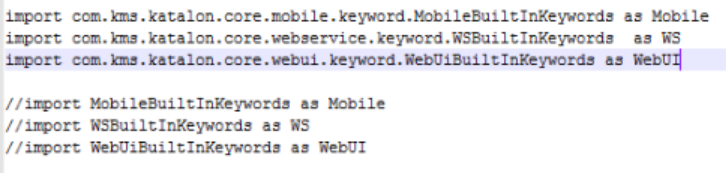
I have followed these instructions, but my custom Keywords simply don’t show up when they are imported into the other project. I’m trying to figure out what step I left out.
To share custom keywords across projects, please use import/export test artifacts - an Enterprise exclusive feature.
Jass