I cannot see steps in Log Viewer for Katalon version 10.3.0. I tried exiting and reopening Katalon, closing and cleaning project and reopening project, but they didn’t work.

Same issue for me since I upgraded to version 10.3.0.
1 Like
Hello there,
I struggle with the same issue since Katalon Studio 10.3.
Same issue here
I also saw this once with v10.3.0. There must be a bug. But I can not reproduce the blank display repeatedly.
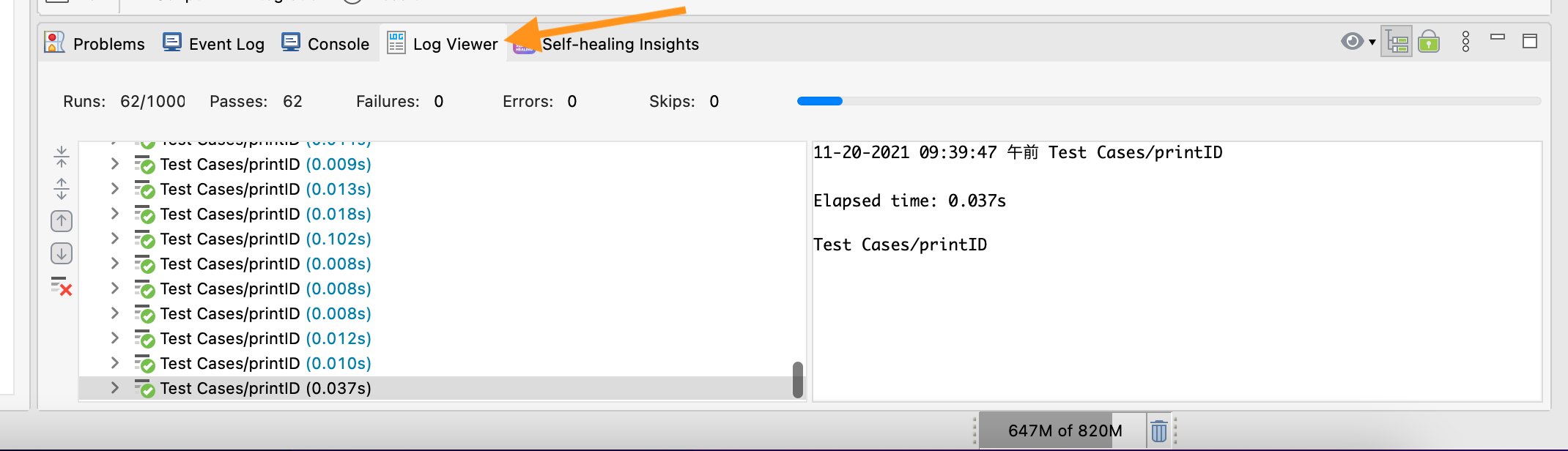
This is a Log Viewer screenshot of v10.2.4

This is the screenshot of v10.3.0 of the same script

I could see that these screenshots look slightly different.
I guess Katalon made some changes in UI at v10.3.0, and unfortunately made a defect.
=> @Elly_Tran Please escarate this to the dev team.
1 Like
I guess, Katalon changed the Eclipse platform version on which Katalon Studio works. Was it really necessary?
By the way, as mentioned here, the file size of v10.3.0 got much bigger. I suspect that the file size inflation was caused by the Eclipse library bundled in the .dmg/.zip file.
I would suggest bringing the Eclipse version back to the previous one if appropriate.
1 Like
Thanks for bringing this up. We’re looking into the issue.
@kazurayam We recently made changes to the Log Viewer to improve memory usage and performance, as well as enhance the UX so you can skim through the information more efficiently.
Regarding the package being larger than the previous version, we have a plan in place to address this issue in the future.
2 Likes
According to the 10.3.0 release notes:
- Slightly improved the Log Viewer UI with a new implementation using WebView.
The blank log viewer is definitely a bug, I’ve reproduced the issue on 2 separate machines.
Its making troubleshooting test case failures very difficult as you can’t see exactly which step has failed.
3 Likes
Has this issue been fixed in latest patch release 10.30.1? I don’t see any mention of “Log Viewer” in the patch notes.
Its a very annoying issue.
4 Likes
Any update? Nothing included in the latest release(10.3.1) also..
2 Likes
Same issue here. Log Viewer appears blank and makes troubleshooting much more difficult process. Just updated to 10.3.1 btw
2 Likes
Hi everyone, we’re working on the fix.
Meanwhile, if the log does not display the test steps, stop the test run and rerun it to recreate the server log and verify if the connection works normally.
5 Likes
Same here, I was about to post for the same issue, thanks for reporting and confirming I don’t have a “specific to me” issue. 
2 Likes
I’m having the same issue in version 10.3.1, where sometimes the logs show up in the log viewer and not observed any pattern for this. However, when I switch to non-tree mode, the logs are always visible.
1 Like
Let me tell you a tentative workaround for the Log Viewer problem.
The Log Viewer offers 2 view: “Tree view” and “Tabular view”.
Tree view
Tabular view

The “Tree view” is selected as default. But you can easily switch these 2 views by toggling a button on the top-right corder of the Log Viewer:

Workaround: Prefer the Tabluar view to the Tree view
Since v10.3.0, we have a problem that the Tree view sometimes displays nothing. However, the Tabular view can display log messages even when the Tree view is empty. So you should prefer “Tabular view” to “Tree view” for now. Then you would no longer be blocked by the Log Viewer issue.
1 Like
The Tabular view of Log Viewer enables you to filter types of log messages. On the left side, you can see buttons labelled “All”, “Info”, “Passed”, “Failed”, “Error”, “Warning”, “Not Run”. As default, “All” is set to be on; others are off.
I will warn you; when the “All” button is ON, it will emit tons of START and END messages. These messages are useless. Then the Log Viewer becomes too verbose.

I would recommend you to set “All” to be toggled OFF, and other buttons (Infor, Passed, Failed, Error) ON.

2 Likes
The issue has been fixed with the new release(Version 10.3.2).
1 Like