Let me tell you what I saw, and my thought.
I opened https://www.yahoo.co.jp/ using Katalon Studio API testing UI. The following screenshot shows that the CJK characters in the response body are rendered garbled.

I opened https://www.yahoo.co.jp/ using Chrome.
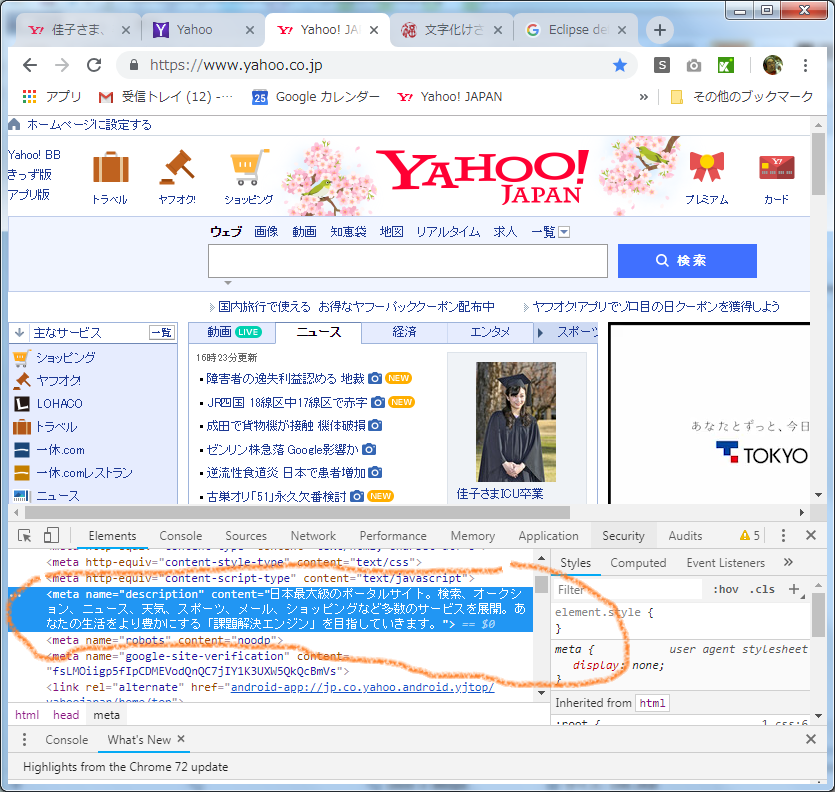
The page was encoded in UTF-8, and find the original text is:
日本最大級のポータルサイト。検索、オークション、ニュース、天気、スポーツ、メール、ショッピングなど多数のサービスを展開。あなたの生活をより豊かにする「課題解決エンジン」を目指していきます。
I tried to reproduce gabling the UTF-8 encoded characters.
I used 文字化けさせる奴 - ふくらみ

This interesting tool enabled me to render UTF-8 encoded characters mistakenly as MS932(=SJIS).
The gabled characters reproduced matches exactly with the gabled characters in Katalon Studio.
This proves that, Katalon Studio has a problem rendering the UTF-8 encoded characters. Katalon Studio does not respect the charset expressed by the HTTP Response Header Content-type text/html, charset=UTF-8. It seems rendering the response body with the System’s default charset.
Eclipse=Katalon Studio has preference setting for the text file encoding. I checked it.

The preference is set to be UTF-8. However, I believe KS does not respect this setting as well. KS is rendering the Web API Response body always with Default(MS932). This is a problem to be fixed.
Windows PC in Japan has the default encoding to be MS932. But Mac in Japan has the default encoding to be UTF-8. This difference would be the reason why @244401716 says on Mac OK, on Windows NG.